ছবি
Meta Muse Image Edit ভ্যারিয়েন্ট: 2
০.০১$ / ছবি
১০ API ক্রেডিট / ছবি
কোনও মিল পাওয়া যায়নি। “video”, “FLUX” অথবা “webhooks” চেষ্টা করুন।
মডেল লোড হচ্ছে…
meta/muse-image/text-to-image
# Run the model; wait up to 20 s for the finished result in the same call
curl -X POST "https://api.doitong.com/v1/run/meta/muse-image/text-to-image?wait=20" \
  -H "Authorization: Bearer $DOITONG_API_KEY" \
  -H "Content-Type: application/json" \
  -d '{
    "prompt": "A red fox trots through fresh snow at sunrise, soft golden light, shallow depth of field"
  }'

# Still "queued" or "running"? Poll with the id from the response:
curl "https://api.doitong.com/v1/requests/REQUEST_ID?wait=20" \
  -H "Authorization: Bearer $DOITONG_API_KEY"
const API = "https://api.doitong.com/v1";
const headers = {
"Authorization": "Bearer " + process.env.DOITONG_API_KEY,
"Content-Type": "application/json",
};
// Run the model; wait up to 20 s for the finished result in the same call
let res = await fetch(API + "/run/meta/muse-image/text-to-image?wait=20", {
method: "POST",
headers,
body: JSON.stringify({
"prompt": "A red fox trots through fresh snow at sunrise, soft golden light, shallow depth of field"
}),
});
let request = await res.json();
if (!res.ok) throw new Error(request.error.code + ": " + request.error.message);
// Not finished yet: long-poll until it is
while (request.status === "queued" || request.status === "running") {
res = await fetch(API + "/requests/" + request.id + "?wait=20", { headers });
request = await res.json();
}
if (request.status !== "succeeded") throw new Error(JSON.stringify(request.error));
console.log(request.outputs.map((o) => o.url), request.cost.credits + " API credits ($" + request.cost.usd + ")");import os
import requests
API = "https://api.doitong.com/v1"
headers = {"Authorization": "Bearer " + os.environ["DOITONG_API_KEY"]}
payload = {
"prompt": "A red fox trots through fresh snow at sunrise, soft golden light, shallow depth of field",
}
# Run the model; wait up to 20 s for the finished result in the same call
r = requests.post(API + "/run/meta/muse-image/text-to-image", params={"wait": 20}, json=payload, headers=headers)
request = r.json()
if not r.ok:
raise RuntimeError(request["error"]["code"] + ": " + request["error"]["message"])
# Not finished yet: long-poll until it is
while request["status"] in ("queued", "running"):
request = requests.get(API + "/requests/" + request["id"], params={"wait": 20}, headers=headers).json()
if request["status"] != "succeeded":
raise RuntimeError(request["error"])
print([o["url"] for o in request["outputs"]], request["cost"]["credits"], "API credits", "$" + request["cost"]["usd"])# 1. Connect once (Claude Code; Cursor, VS Code, Claude Desktop: https://doitong.com/bn/developers/docs/mcp)
claude mcp add --transport http doitong-models https://api.doitong.com/v1/mcp \
--header "Authorization: Bearer $DOITONG_API_KEY"
# 2. Your agent calls the "run" tool with:
{
"model_id": "meta/muse-image/text-to-image",
"input": {
"prompt": "A red fox trots through fresh snow at sunrise, soft golden light, shallow depth of field"
}
}Doitong API-এর মাধ্যমে Meta Muse Image Text to Image মডেল (meta/muse-image/text-to-image) কল করুন। এজেন্টদের জন্য ডকুমেন্টেশন: https://doitong.com/bn/developers/models/meta/muse-image/text-to-image.md
POST https://api.doitong.com/v1/run/meta/muse-image/text-to-image?wait=20
Authorization: Bearer $DOITONG_API_KEY
Content-Type: application/json
{
"prompt": "A red fox trots through fresh snow at sunrise, soft golden light, shallow depth of field"
}
রেসপন্সের স্ট্যাটাস যদি "queued" বা "running" হয়, তাহলে এটি "succeeded" না হওয়া পর্যন্ত GET https://api.doitong.com/v1/requests/REQUEST_ID?wait=20 পোল করুন; ফাইলগুলো outputs[].url-এ থাকে। রান করার আগেই সঠিক মূল্য জানতে একই বডি দিয়ে POST https://api.doitong.com/v1/quote/meta/muse-image/text-to-image করুন।এই অনুরোধ: ০.০১$ ১০ API ক্রেডিট এই পেজে চালান
আপনার নতুন API কী। এটি শুধু এখনই দেখানো হচ্ছে এবং এটি ইতিমধ্যে নিচের কোড ও API কী ফিল্ডে রয়েছে। এটি গোপন রাখুন: ব্রাউজারে চলা কোডে কখনো এটি রাখবেন না।
নিচে একটি রিকোয়েস্ট তৈরি করে আপনার API কী দিয়ে চালান। আউটপুট আমাদের স্টোরেজে কপি করা হয়, চিরকাল বা বিনামূল্যে ৭ দিন পর্যন্ত রাখা হয়।
মডেল স্কিমা থেকে কন্ট্রোল তৈরি করা হয়। এগুলো পরিবর্তন করলে কোড ও মূল্য আপডেট হয়।
/run/meta/muse-image/text-to-image?wait=20
মূল্য → ০.০১$
# Run the model; wait up to 20 s for the finished result in the same call
curl -X POST "https://api.doitong.com/v1/run/meta/muse-image/text-to-image?wait=20" \
  -H "Authorization: Bearer $DOITONG_API_KEY" \
  -H "Content-Type: application/json" \
  -d '{
    "prompt": "A red fox trots through fresh snow at sunrise, soft golden light, shallow depth of field"
  }'

# Still "queued" or "running"? Poll with the id from the response:
curl "https://api.doitong.com/v1/requests/REQUEST_ID?wait=20" \
  -H "Authorization: Bearer $DOITONG_API_KEY"
const API = "https://api.doitong.com/v1";
const headers = {
"Authorization": "Bearer " + process.env.DOITONG_API_KEY,
"Content-Type": "application/json",
};
// Run the model; wait up to 20 s for the finished result in the same call
let res = await fetch(API + "/run/meta/muse-image/text-to-image?wait=20", {
method: "POST",
headers,
body: JSON.stringify({
"prompt": "A red fox trots through fresh snow at sunrise, soft golden light, shallow depth of field"
}),
});
let request = await res.json();
if (!res.ok) throw new Error(request.error.code + ": " + request.error.message);
// Not finished yet: long-poll until it is
while (request.status === "queued" || request.status === "running") {
res = await fetch(API + "/requests/" + request.id + "?wait=20", { headers });
request = await res.json();
}
if (request.status !== "succeeded") throw new Error(JSON.stringify(request.error));
console.log(request.outputs.map((o) => o.url), request.cost.credits + " API credits ($" + request.cost.usd + ")");import os
import requests
API = "https://api.doitong.com/v1"
headers = {"Authorization": "Bearer " + os.environ["DOITONG_API_KEY"]}
payload = {
"prompt": "A red fox trots through fresh snow at sunrise, soft golden light, shallow depth of field",
}
# Run the model; wait up to 20 s for the finished result in the same call
r = requests.post(API + "/run/meta/muse-image/text-to-image", params={"wait": 20}, json=payload, headers=headers)
request = r.json()
if not r.ok:
raise RuntimeError(request["error"]["code"] + ": " + request["error"]["message"])
# Not finished yet: long-poll until it is
while request["status"] in ("queued", "running"):
request = requests.get(API + "/requests/" + request["id"], params={"wait": 20}, headers=headers).json()
if request["status"] != "succeeded":
raise RuntimeError(request["error"])
print([o["url"] for o in request["outputs"]], request["cost"]["credits"], "API credits", "$" + request["cost"]["usd"]){
"jsonrpc": "2.0",
"id": 1,
"method": "tools/call",
"params": {
"name": "run",
"arguments": {
"model_id": "meta/muse-image/text-to-image",
"input": {
"prompt": "A red fox trots through fresh snow at sunrise, soft golden light, shallow depth of field"
},
"wait_seconds": 20
}
}
}আপনার key এই ব্রাউজারেই থাকে: এটি শুধু Doitong API-তে পাঠানো হয় এবং Remember টিক দিলে কেবল localStorage-এ সংরক্ষিত হয়। একটি API কী পান
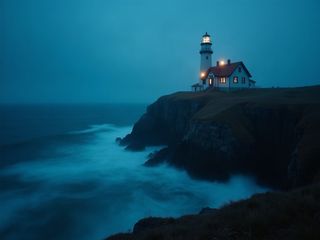
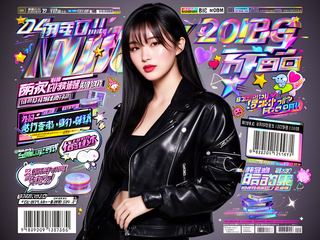
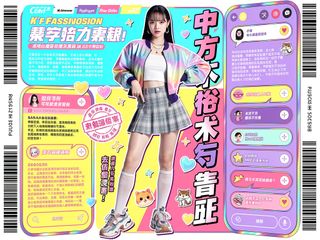
একটি টেক্সট `prompt` থেকে ছবি তৈরি করে। `aspect_ratio` 1:16 থেকে 16:1-এর মধ্যে যেকোনো width:height মান গ্রহণ করে, যার মধ্যে 16:9 বা 9:16-এর মতো প্রিসেটও রয়েছে। `num_images` 1 থেকে 10 পর্যন্ত কতগুলো ছবি তৈরি হবে তা নির্ধারণ করে, এবং `output_format` jpeg, png বা webp (ডিফল্ট webp) হতে পারে। টেক্সট, প্লট বা QR কোডযুক্ত ছবি তৈরিতে ব্যবহার করা যায়।
ক্যানোনিকাল নাম অথবা নেটিভ নাম—দুটো একসঙ্গে নয়—পাঠান। ক্যানোনিকাল নামগুলো
promptআবশ্যক
aspect_ratioঐচ্ছিক
num_imagesঐচ্ছিক
num_outputs
output_formatঐচ্ছিক
{
  "id": "req_8k2m4q7x1z9c3v5b6n0p2r4t",
  "object": "request",
  "model": "meta/muse-image/text-to-image",
  "status": "succeeded",
  "created_at": "2026-10-20T12:00:00Z",
  "started_at": "2026-10-20T12:00:02Z",
  "completed_at": "2026-10-20T12:00:09Z",
  "queue_position": null,
  "cost": {
    "credits": 10,
    "usd": "0.01",
    "charged": 10,
    "refunded": 0
  },
  "input": {
    "prompt": "A red fox trots through fresh snow at sunrise, soft golden light, shallow depth of field"
  },
  "output": {
    "images": [
      {
        "url": "https://content.doitong.com/dev-api/2026/10/20/req_8k2m4q7x1z9c3v5b6n0p2r4t/0-output.jpeg",
        "content_type": "image/jpeg",
        "file_name": "0-output.jpeg",
        "file_size": 1843200,
        "width": 1024,
        "height": 768
      }
    ]
  },
  "outputs": [
    {
      "type": "image",
      "url": "https://content.doitong.com/dev-api/2026/10/20/req_8k2m4q7x1z9c3v5b6n0p2r4t/0-output.jpeg",
      "content_type": "image/jpeg",
      "file_size": 1843200,
      "width": 1024,
      "height": 768,
      "stored": true
    }
  ],
  "error": null,
  "metrics": {
    "inference_seconds": 6.8
  },
  "urls": {
    "self": "https://api.doitong.com/v1/requests/req_8k2m4q7x1z9c3v5b6n0p2r4t",
    "cancel": "https://api.doitong.com/v1/requests/req_8k2m4q7x1z9c3v5b6n0p2r4t/cancel"
  }
}





AI এজেন্টদের জন্য: এই পৃষ্ঠাটি Markdown হিসেবে এখানে আছে https://doitong.com/bn/developers/models/meta/muse-image/text-to-image.md. সব মডেল ও গাইড: https://doitong.com/developers/llms.txt