ছবি
Wan 2.5 Image to Image ভ্যারিয়েন্ট: 4
০.০৫$ / ছবি
৫০ API ক্রেডিট / ছবি
কোনও মিল পাওয়া যায়নি। “video”, “FLUX” অথবা “webhooks” চেষ্টা করুন।
মডেল লোড হচ্ছে…
wan-25-preview/text-to-image
# Run the model; wait up to 20 s for the finished result in the same call
curl -X POST "https://api.doitong.com/v1/run/wan-25-preview/text-to-image?wait=20" \
  -H "Authorization: Bearer $DOITONG_API_KEY" \
  -H "Content-Type: application/json" \
  -d '{
    "prompt": "A red fox trots through fresh snow at sunrise, soft golden light, shallow depth of field"
  }'

# Still "queued" or "running"? Poll with the id from the response:
curl "https://api.doitong.com/v1/requests/REQUEST_ID?wait=20" \
  -H "Authorization: Bearer $DOITONG_API_KEY"
const API = "https://api.doitong.com/v1";
const headers = {
"Authorization": "Bearer " + process.env.DOITONG_API_KEY,
"Content-Type": "application/json",
};
// Run the model; wait up to 20 s for the finished result in the same call
let res = await fetch(API + "/run/wan-25-preview/text-to-image?wait=20", {
method: "POST",
headers,
body: JSON.stringify({
"prompt": "A red fox trots through fresh snow at sunrise, soft golden light, shallow depth of field"
}),
});
let request = await res.json();
if (!res.ok) throw new Error(request.error.code + ": " + request.error.message);
// Not finished yet: long-poll until it is
while (request.status === "queued" || request.status === "running") {
res = await fetch(API + "/requests/" + request.id + "?wait=20", { headers });
request = await res.json();
}
if (request.status !== "succeeded") throw new Error(JSON.stringify(request.error));
console.log(request.outputs.map((o) => o.url), request.cost.credits + " API credits ($" + request.cost.usd + ")");import os
import requests
API = "https://api.doitong.com/v1"
headers = {"Authorization": "Bearer " + os.environ["DOITONG_API_KEY"]}
payload = {
"prompt": "A red fox trots through fresh snow at sunrise, soft golden light, shallow depth of field",
}
# Run the model; wait up to 20 s for the finished result in the same call
r = requests.post(API + "/run/wan-25-preview/text-to-image", params={"wait": 20}, json=payload, headers=headers)
request = r.json()
if not r.ok:
raise RuntimeError(request["error"]["code"] + ": " + request["error"]["message"])
# Not finished yet: long-poll until it is
while request["status"] in ("queued", "running"):
request = requests.get(API + "/requests/" + request["id"], params={"wait": 20}, headers=headers).json()
if request["status"] != "succeeded":
raise RuntimeError(request["error"])
print([o["url"] for o in request["outputs"]], request["cost"]["credits"], "API credits", "$" + request["cost"]["usd"])# 1. Connect once (Claude Code; Cursor, VS Code, Claude Desktop: https://doitong.com/bn/developers/docs/mcp)
claude mcp add --transport http doitong-models https://api.doitong.com/v1/mcp \
--header "Authorization: Bearer $DOITONG_API_KEY"
# 2. Your agent calls the "run" tool with:
{
"model_id": "wan-25-preview/text-to-image",
"input": {
"prompt": "A red fox trots through fresh snow at sunrise, soft golden light, shallow depth of field"
}
}Doitong API-এর মাধ্যমে Wan 2.5 Text to Image মডেল (wan-25-preview/text-to-image) কল করুন। এজেন্টদের জন্য ডকুমেন্টেশন: https://doitong.com/bn/developers/models/wan-25-preview/text-to-image.md
POST https://api.doitong.com/v1/run/wan-25-preview/text-to-image?wait=20
Authorization: Bearer $DOITONG_API_KEY
Content-Type: application/json
{
"prompt": "A red fox trots through fresh snow at sunrise, soft golden light, shallow depth of field"
}
রেসপন্সের স্ট্যাটাস যদি "queued" বা "running" হয়, তাহলে এটি "succeeded" না হওয়া পর্যন্ত GET https://api.doitong.com/v1/requests/REQUEST_ID?wait=20 পোল করুন; ফাইলগুলো outputs[].url-এ থাকে। রান করার আগেই সঠিক মূল্য জানতে একই বডি দিয়ে POST https://api.doitong.com/v1/quote/wan-25-preview/text-to-image করুন।এই অনুরোধ: ০.০৫$ ৫০ API ক্রেডিট এই পেজে চালান
আপনার নতুন API কী। এটি শুধু এখনই দেখানো হচ্ছে এবং এটি ইতিমধ্যে নিচের কোড ও API কী ফিল্ডে রয়েছে। এটি গোপন রাখুন: ব্রাউজারে চলা কোডে কখনো এটি রাখবেন না।
Doitong কমিউনিটির Wan 2.5 দিয়ে তৈরি পাবলিক কাজ। এক ক্লিকে একটি প্রম্পট পুনরায় ব্যবহার করুন।
 ভিডিও
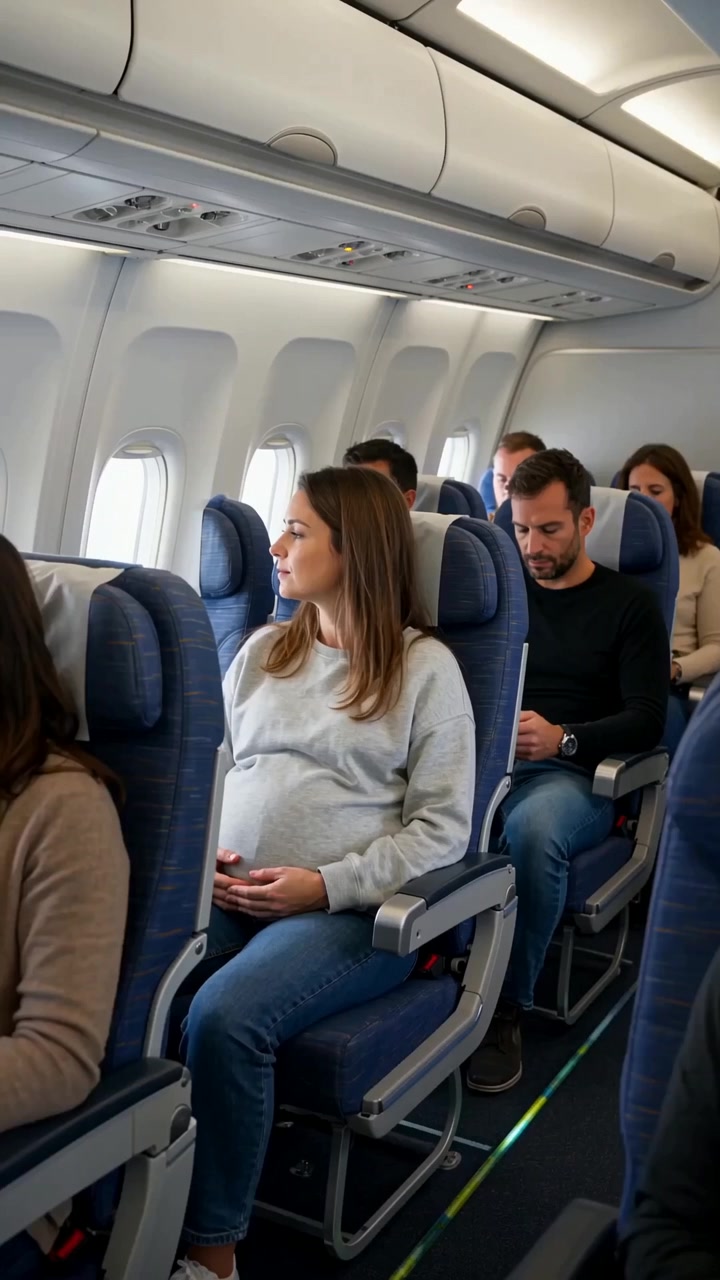
Create a realistic cinematic UGC-style commercial video, exactly 30 seconds long. The entire scene takes place inside a modern passenger airplane during a daytime flight. Natural smartphone-like cinematography, realistic airplane cabin, authentic passengers, natural lighting, realistic skin...
 ভিডিও
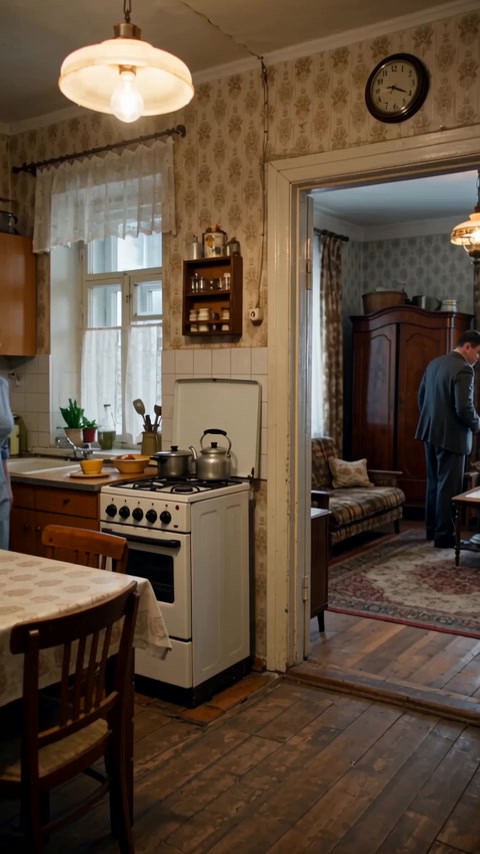
Реалистичная бытовая сцена в советской одесской квартире зимним вечером. Женщина находится на кухне, мужчина — в комнате и прихожей. Атмосфера обычной советской семьи перед приходом гостей. Голоса: все персонажи говорят по-русски с естественным, выразительным одесским говором. Характерная...
মডেল স্কিমা থেকে কন্ট্রোল তৈরি করা হয়। এগুলো পরিবর্তন করলে কোড ও মূল্য আপডেট হয়।
/run/wan-25-preview/text-to-image?wait=20
মূল্য → ০.০৫$
# Run the model; wait up to 20 s for the finished result in the same call
curl -X POST "https://api.doitong.com/v1/run/wan-25-preview/text-to-image?wait=20" \
  -H "Authorization: Bearer $DOITONG_API_KEY" \
  -H "Content-Type: application/json" \
  -d '{
    "prompt": "A red fox trots through fresh snow at sunrise, soft golden light, shallow depth of field"
  }'

# Still "queued" or "running"? Poll with the id from the response:
curl "https://api.doitong.com/v1/requests/REQUEST_ID?wait=20" \
  -H "Authorization: Bearer $DOITONG_API_KEY"
const API = "https://api.doitong.com/v1";
const headers = {
"Authorization": "Bearer " + process.env.DOITONG_API_KEY,
"Content-Type": "application/json",
};
// Run the model; wait up to 20 s for the finished result in the same call
let res = await fetch(API + "/run/wan-25-preview/text-to-image?wait=20", {
method: "POST",
headers,
body: JSON.stringify({
"prompt": "A red fox trots through fresh snow at sunrise, soft golden light, shallow depth of field"
}),
});
let request = await res.json();
if (!res.ok) throw new Error(request.error.code + ": " + request.error.message);
// Not finished yet: long-poll until it is
while (request.status === "queued" || request.status === "running") {
res = await fetch(API + "/requests/" + request.id + "?wait=20", { headers });
request = await res.json();
}
if (request.status !== "succeeded") throw new Error(JSON.stringify(request.error));
console.log(request.outputs.map((o) => o.url), request.cost.credits + " API credits ($" + request.cost.usd + ")");import os
import requests
API = "https://api.doitong.com/v1"
headers = {"Authorization": "Bearer " + os.environ["DOITONG_API_KEY"]}
payload = {
"prompt": "A red fox trots through fresh snow at sunrise, soft golden light, shallow depth of field",
}
# Run the model; wait up to 20 s for the finished result in the same call
r = requests.post(API + "/run/wan-25-preview/text-to-image", params={"wait": 20}, json=payload, headers=headers)
request = r.json()
if not r.ok:
raise RuntimeError(request["error"]["code"] + ": " + request["error"]["message"])
# Not finished yet: long-poll until it is
while request["status"] in ("queued", "running"):
request = requests.get(API + "/requests/" + request["id"], params={"wait": 20}, headers=headers).json()
if request["status"] != "succeeded":
raise RuntimeError(request["error"])
print([o["url"] for o in request["outputs"]], request["cost"]["credits"], "API credits", "$" + request["cost"]["usd"]){
"jsonrpc": "2.0",
"id": 1,
"method": "tools/call",
"params": {
"name": "run",
"arguments": {
"model_id": "wan-25-preview/text-to-image",
"input": {
"prompt": "A red fox trots through fresh snow at sunrise, soft golden light, shallow depth of field"
},
"wait_seconds": 20
}
}
}আপনার key এই ব্রাউজারেই থাকে: এটি শুধু Doitong API-তে পাঠানো হয় এবং Remember টিক দিলে কেবল localStorage-এ সংরক্ষিত হয়। একটি API কী পান
চীনা বা ইংরেজিতে সর্বোচ্চ 2000 অক্ষরের টেক্সট `prompt` থেকে ছবি জেনারেট করে। `num_images` 1 থেকে 4 পর্যন্ত এবং `image_size` প্রিসেট বা নির্দিষ্ট মাত্রা গ্রহণ করে; মোট পিক্সেল 768x768 থেকে 1440x1440-এর মধ্যে। LLM দিয়ে প্রম্পট পুনর্লিখনকারী প্রম্পট এক্সপ্যানশন ডিফল্টভাবে চালু থাকে। `negative_prompt` ও `seed`-ও ব্যবহার করা যায়।
ক্যানোনিকাল নাম অথবা নেটিভ নাম—দুটো একসঙ্গে নয়—পাঠান। ক্যানোনিকাল নামগুলো
promptআবশ্যক
negative_promptঐচ্ছিক
num_imagesঐচ্ছিক
num_outputs
image_sizeঐচ্ছিক
enable_prompt_expansionঐচ্ছিক
seedঐচ্ছিক
enable_safety_checkerঐচ্ছিক
{
  "id": "req_8k2m4q7x1z9c3v5b6n0p2r4t",
  "object": "request",
  "model": "wan-25-preview/text-to-image",
  "status": "succeeded",
  "created_at": "2026-10-20T12:00:00Z",
  "started_at": "2026-10-20T12:00:02Z",
  "completed_at": "2026-10-20T12:00:09Z",
  "queue_position": null,
  "cost": {
    "credits": 50,
    "usd": "0.05",
    "charged": 50,
    "refunded": 0
  },
  "input": {
    "prompt": "A red fox trots through fresh snow at sunrise, soft golden light, shallow depth of field"
  },
  "output": {
    "images": [
      {
        "url": "https://content.doitong.com/dev-api/2026/10/20/req_8k2m4q7x1z9c3v5b6n0p2r4t/0-output.jpeg",
        "content_type": "image/jpeg",
        "file_name": "0-output.jpeg",
        "file_size": 1843200,
        "width": 1024,
        "height": 768
      }
    ],
    "seeds": [
      42
    ],
    "actual_prompt": "A lone samurai standing on the edge of a cliff at twilight, overlooking a vast valley shrouded in mist. The sky burns with deep orange and purple hues from the setting sun, casting long, dramatic shadows. The samurai’s silhouette glows against the horizon, with their sword reflecting a glint of fading light. The overall style is hyper-realistic, cinematic, and moody, with dramatic contrast and atmospheric depth."
  },
  "outputs": [
    {
      "type": "image",
      "url": "https://content.doitong.com/dev-api/2026/10/20/req_8k2m4q7x1z9c3v5b6n0p2r4t/0-output.jpeg",
      "content_type": "image/jpeg",
      "file_size": 1843200,
      "width": 1024,
      "height": 768,
      "stored": true
    }
  ],
  "error": null,
  "metrics": {
    "inference_seconds": 6.8
  },
  "urls": {
    "self": "https://api.doitong.com/v1/requests/req_8k2m4q7x1z9c3v5b6n0p2r4t",
    "cancel": "https://api.doitong.com/v1/requests/req_8k2m4q7x1z9c3v5b6n0p2r4t/cancel"
  }
}






AI এজেন্টদের জন্য: এই পৃষ্ঠাটি Markdown হিসেবে এখানে আছে https://doitong.com/bn/developers/models/wan-25-preview/text-to-image.md. সব মডেল ও গাইড: https://doitong.com/developers/llms.txt