Video
Kling AI Avatar Varianten: 5
0,0562 $ / Sekunde Eingabe-Audio
56,2 API-Credits / Sekunde Eingabe-Audio
Keine Treffer. Versuche „video“, „FLUX“ oder „webhooks“.
Modelle werden geladen…
kling-video/ai-avatar/v2/pro
# Run the model; wait up to 20 s for the finished result in the same call
curl -X POST "https://api.doitong.com/v1/run/kling-video/ai-avatar/v2/pro?wait=20" \
  -H "Authorization: Bearer $DOITONG_API_KEY" \
  -H "Content-Type: application/json" \
  -d '{
    "image": "https://content.doitong.com/images/showcase/v3/avatar/talking_avatar.jpg",
    "audio": "https://content.doitong.com/audio/showcase/v3/tools/dub_es.mp3"
  }'

# Still "queued" or "running"? Poll with the id from the response:
curl "https://api.doitong.com/v1/requests/REQUEST_ID?wait=20" \
  -H "Authorization: Bearer $DOITONG_API_KEY"
const API = "https://api.doitong.com/v1";
const headers = {
"Authorization": "Bearer " + process.env.DOITONG_API_KEY,
"Content-Type": "application/json",
};
// Run the model; wait up to 20 s for the finished result in the same call
let res = await fetch(API + "/run/kling-video/ai-avatar/v2/pro?wait=20", {
method: "POST",
headers,
body: JSON.stringify({
"image": "https://content.doitong.com/images/showcase/v3/avatar/talking_avatar.jpg",
"audio": "https://content.doitong.com/audio/showcase/v3/tools/dub_es.mp3"
}),
});
let request = await res.json();
if (!res.ok) throw new Error(request.error.code + ": " + request.error.message);
// Not finished yet: long-poll until it is
while (request.status === "queued" || request.status === "running") {
res = await fetch(API + "/requests/" + request.id + "?wait=20", { headers });
request = await res.json();
}
if (request.status !== "succeeded") throw new Error(JSON.stringify(request.error));
console.log(request.outputs.map((o) => o.url), request.cost.credits + " API credits ($" + request.cost.usd + ")");import os
import requests
API = "https://api.doitong.com/v1"
headers = {"Authorization": "Bearer " + os.environ["DOITONG_API_KEY"]}
payload = {
"image": "https://content.doitong.com/images/showcase/v3/avatar/talking_avatar.jpg",
"audio": "https://content.doitong.com/audio/showcase/v3/tools/dub_es.mp3",
}
# Run the model; wait up to 20 s for the finished result in the same call
r = requests.post(API + "/run/kling-video/ai-avatar/v2/pro", params={"wait": 20}, json=payload, headers=headers)
request = r.json()
if not r.ok:
raise RuntimeError(request["error"]["code"] + ": " + request["error"]["message"])
# Not finished yet: long-poll until it is
while request["status"] in ("queued", "running"):
request = requests.get(API + "/requests/" + request["id"], params={"wait": 20}, headers=headers).json()
if request["status"] != "succeeded":
raise RuntimeError(request["error"])
print([o["url"] for o in request["outputs"]], request["cost"]["credits"], "API credits", "$" + request["cost"]["usd"])# 1. Connect once (Claude Code; Cursor, VS Code, Claude Desktop: https://doitong.com/de/developers/docs/mcp)
claude mcp add --transport http doitong-models https://api.doitong.com/v1/mcp \
--header "Authorization: Bearer $DOITONG_API_KEY"
# 2. Your agent calls the "run" tool with:
{
"model_id": "kling-video/ai-avatar/v2/pro",
"input": {
"image": "https://content.doitong.com/images/showcase/v3/avatar/talking_avatar.jpg",
"audio": "https://content.doitong.com/audio/showcase/v3/tools/dub_es.mp3"
}
}Rufe das Modell Kling AI Avatar 2.0 Pro (kling-video/ai-avatar/v2/pro) über die Doitong API auf. Dokumentation für Agenten: https://doitong.com/de/developers/models/kling-video/ai-avatar/v2/pro.md
POST https://api.doitong.com/v1/run/kling-video/ai-avatar/v2/pro?wait=20
Authorization: Bearer $DOITONG_API_KEY
Content-Type: application/json
{
"image": "https://content.doitong.com/images/showcase/v3/avatar/talking_avatar.jpg",
"audio": "https://content.doitong.com/audio/showcase/v3/tools/dub_es.mp3"
}
Wenn der Antwortstatus "queued" oder "running" lautet, frage GET https://api.doitong.com/v1/requests/REQUEST_ID?wait=20 ab, bis er "succeeded" lautet; die Dateien befinden sich in outputs[].url. POST https://api.doitong.com/v1/quote/kling-video/ai-avatar/v2/pro mit demselben Body gibt den exakten Preis vor der Ausführung zurück.Dateien wie das Beispiel: 1,15 $ 1.150 API-Credits Deine Dateien werden vor der Ausführung gemessen Auf dieser Seite ausführen
Dein neuer API-Schlüssel. Sie wird nur jetzt angezeigt und befindet sich bereits im Code und im untenstehenden API-Schlüssel-Feld. Halten Sie sie geheim: Fügen Sie sie niemals in Code ein, der in einem Browser ausgeführt wird.
Öffentliche Werke der Doitong-Community mit Kling Avatar. Verwende einen Prompt mit einem Klick erneut.
 Video
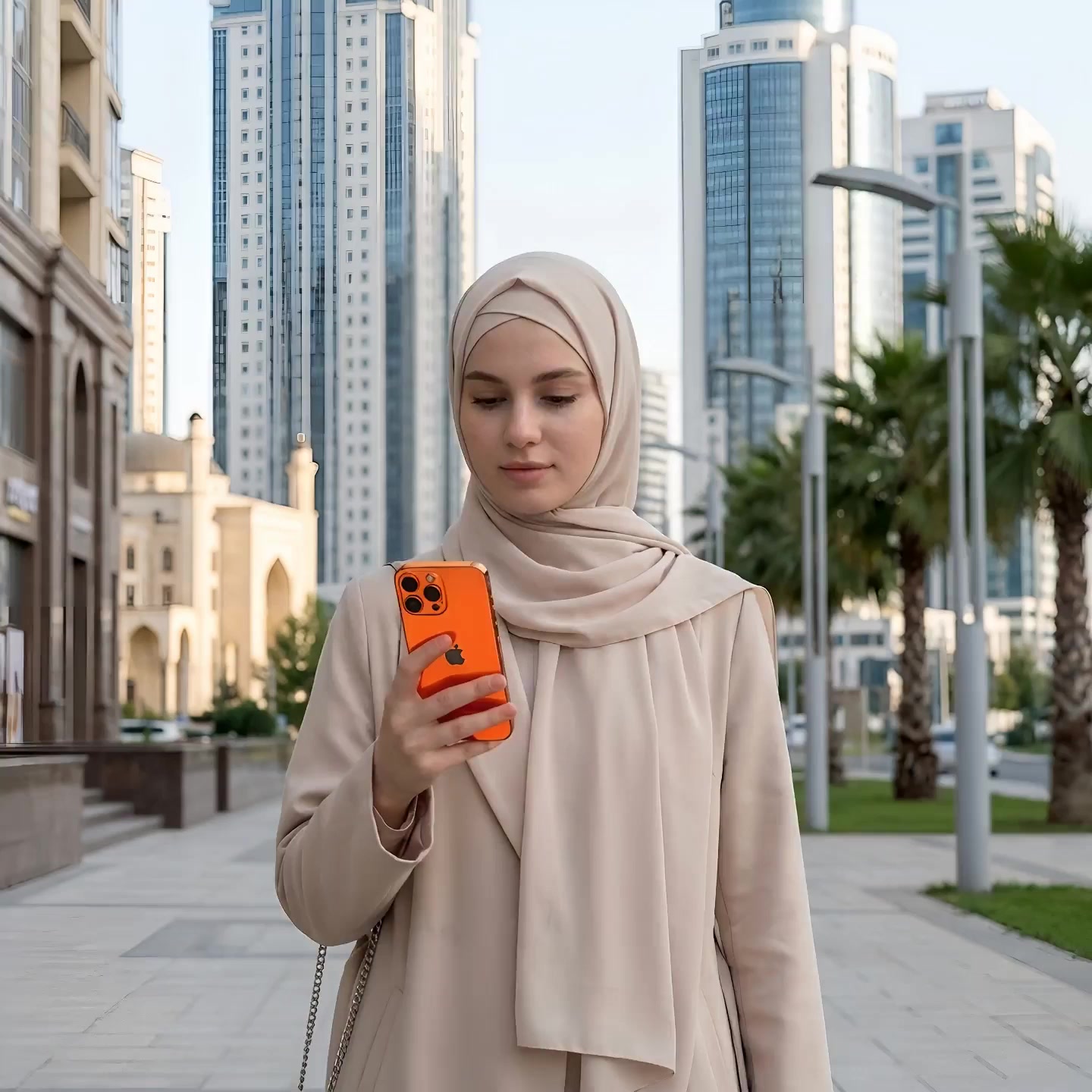
A realistic young Caucasian-looking woman wearing a modest hijab is walking through a modern city street. She is speaking naturally (audio will be added separately) and expressing admiration and pr...
 Video
A realistic young Caucasian-looking woman in a modest hijab is walking calmly through the modern city of Grozny. The architecture around her is clean, modern, and impressive, with Dubai-style build...
Die Steuerelemente werden aus dem Modellschema generiert. Code und Preis werden aktualisiert, während du sie änderst.
/run/kling-video/ai-avatar/v2/pro?wait=20
Preis → 1,15 $
# Run the model; wait up to 20 s for the finished result in the same call
curl -X POST "https://api.doitong.com/v1/run/kling-video/ai-avatar/v2/pro?wait=20" \
  -H "Authorization: Bearer $DOITONG_API_KEY" \
  -H "Content-Type: application/json" \
  -d '{
    "image": "https://content.doitong.com/images/showcase/v3/avatar/talking_avatar.jpg",
    "audio": "https://content.doitong.com/audio/showcase/v3/tools/dub_es.mp3"
  }'

# Still "queued" or "running"? Poll with the id from the response:
curl "https://api.doitong.com/v1/requests/REQUEST_ID?wait=20" \
  -H "Authorization: Bearer $DOITONG_API_KEY"
const API = "https://api.doitong.com/v1";
const headers = {
"Authorization": "Bearer " + process.env.DOITONG_API_KEY,
"Content-Type": "application/json",
};
// Run the model; wait up to 20 s for the finished result in the same call
let res = await fetch(API + "/run/kling-video/ai-avatar/v2/pro?wait=20", {
method: "POST",
headers,
body: JSON.stringify({
"image": "https://content.doitong.com/images/showcase/v3/avatar/talking_avatar.jpg",
"audio": "https://content.doitong.com/audio/showcase/v3/tools/dub_es.mp3"
}),
});
let request = await res.json();
if (!res.ok) throw new Error(request.error.code + ": " + request.error.message);
// Not finished yet: long-poll until it is
while (request.status === "queued" || request.status === "running") {
res = await fetch(API + "/requests/" + request.id + "?wait=20", { headers });
request = await res.json();
}
if (request.status !== "succeeded") throw new Error(JSON.stringify(request.error));
console.log(request.outputs.map((o) => o.url), request.cost.credits + " API credits ($" + request.cost.usd + ")");import os
import requests
API = "https://api.doitong.com/v1"
headers = {"Authorization": "Bearer " + os.environ["DOITONG_API_KEY"]}
payload = {
"image": "https://content.doitong.com/images/showcase/v3/avatar/talking_avatar.jpg",
"audio": "https://content.doitong.com/audio/showcase/v3/tools/dub_es.mp3",
}
# Run the model; wait up to 20 s for the finished result in the same call
r = requests.post(API + "/run/kling-video/ai-avatar/v2/pro", params={"wait": 20}, json=payload, headers=headers)
request = r.json()
if not r.ok:
raise RuntimeError(request["error"]["code"] + ": " + request["error"]["message"])
# Not finished yet: long-poll until it is
while request["status"] in ("queued", "running"):
request = requests.get(API + "/requests/" + request["id"], params={"wait": 20}, headers=headers).json()
if request["status"] != "succeeded":
raise RuntimeError(request["error"])
print([o["url"] for o in request["outputs"]], request["cost"]["credits"], "API credits", "$" + request["cost"]["usd"]){
"jsonrpc": "2.0",
"id": 1,
"method": "tools/call",
"params": {
"name": "run",
"arguments": {
"model_id": "kling-video/ai-avatar/v2/pro",
"input": {
"image": "https://content.doitong.com/images/showcase/v3/avatar/talking_avatar.jpg",
"audio": "https://content.doitong.com/audio/showcase/v3/tools/dub_es.mp3"
},
"wait_seconds": 20
}
}
}Dein Schlüssel bleibt in diesem Browser: Er wird nur an die Doitong API gesendet und nur gespeichert (localStorage), wenn du „Merken“ aktivierst. API-Schlüssel abrufen
Kling AI Avatar animiert ein einzelnes Foto einer Person oder Figur, sodass sie die angegebene Audiospur mit passenden Lippenbewegungen, Gesichtsausdrücken und Kopfbewegungen spricht; ein optionaler Prompt steuert Emotionen und Gesten. Der Clip ist so lang wie die Audiospur.
Sende entweder den kanonischen Namen oder den nativen Namen, nicht beide. Kanonische Namen
image_urlerforderlich
image
audio_urlerforderlich
audio
promptoptional
Dateiparameter akzeptieren eine öffentliche https://-URL, eine data:-URI bis 10 MB oder die file_url eines Uploads. Dateien
{
  "id": "req_8k2m4q7x1z9c3v5b6n0p2r4t",
  "object": "request",
  "model": "kling-video/ai-avatar/v2/pro",
  "status": "succeeded",
  "created_at": "2026-10-20T12:00:00Z",
  "started_at": "2026-10-20T12:00:02Z",
  "completed_at": "2026-10-20T12:00:09Z",
  "queue_position": null,
  "cost": {
    "credits": 1150,
    "usd": "1.15",
    "charged": 1150,
    "refunded": 0
  },
  "input": {
    "image": "https://content.doitong.com/images/showcase/v3/avatar/talking_avatar.jpg",
    "audio": "https://content.doitong.com/audio/showcase/v3/tools/dub_es.mp3"
  },
  "output": {
    "video": {
      "url": "https://content.doitong.com/dev-api/2026/10/20/req_8k2m4q7x1z9c3v5b6n0p2r4t/0-output.mp4",
      "content_type": "video/mp4",
      "file_name": "0-output.mp4",
      "file_size": 1843200
    },
    "duration": 5
  },
  "outputs": [
    {
      "type": "video",
      "url": "https://content.doitong.com/dev-api/2026/10/20/req_8k2m4q7x1z9c3v5b6n0p2r4t/0-output.mp4",
      "content_type": "video/mp4",
      "file_size": 1843200,
      "width": 1280,
      "height": 720,
      "duration": 5,
      "stored": true
    }
  ],
  "error": null,
  "metrics": {
    "inference_seconds": 6.8
  },
  "urls": {
    "self": "https://api.doitong.com/v1/requests/req_8k2m4q7x1z9c3v5b6n0p2r4t",
    "cancel": "https://api.doitong.com/v1/requests/req_8k2m4q7x1z9c3v5b6n0p2r4t/cancel"
  }
}Für KI-Agenten: Diese Seite ist als Markdown verfügbar unter https://doitong.com/de/developers/models/kling-video/ai-avatar/v2/pro.md. Alle Modelle und Anleitungen: https://doitong.com/developers/llms.txt