Video
Kling Video · Video to Audio Varianten: 2
0,035 $ / Video
35 API-Credits / Video
Keine Treffer. Versuche „video“, „FLUX“ oder „webhooks“.
Modelle werden geladen…
kling-video/create-voice
# Run the model; wait up to 20 s for the finished result in the same call
curl -X POST "https://api.doitong.com/v1/run/kling-video/create-voice?wait=20" \
  -H "Authorization: Bearer $DOITONG_API_KEY" \
  -H "Content-Type: application/json" \
  -d '{
    "voice_url": "https://content.doitong.com/audio/showcase/v3/tools/dub_es.mp3"
  }'

# Still "queued" or "running"? Poll with the id from the response:
curl "https://api.doitong.com/v1/requests/REQUEST_ID?wait=20" \
  -H "Authorization: Bearer $DOITONG_API_KEY"
const API = "https://api.doitong.com/v1";
const headers = {
"Authorization": "Bearer " + process.env.DOITONG_API_KEY,
"Content-Type": "application/json",
};
// Run the model; wait up to 20 s for the finished result in the same call
let res = await fetch(API + "/run/kling-video/create-voice?wait=20", {
method: "POST",
headers,
body: JSON.stringify({
"voice_url": "https://content.doitong.com/audio/showcase/v3/tools/dub_es.mp3"
}),
});
let request = await res.json();
if (!res.ok) throw new Error(request.error.code + ": " + request.error.message);
// Not finished yet: long-poll until it is
while (request.status === "queued" || request.status === "running") {
res = await fetch(API + "/requests/" + request.id + "?wait=20", { headers });
request = await res.json();
}
if (request.status !== "succeeded") throw new Error(JSON.stringify(request.error));
console.log(request.outputs.map((o) => o.url), request.cost.credits + " API credits ($" + request.cost.usd + ")");import os
import requests
API = "https://api.doitong.com/v1"
headers = {"Authorization": "Bearer " + os.environ["DOITONG_API_KEY"]}
payload = {
"voice_url": "https://content.doitong.com/audio/showcase/v3/tools/dub_es.mp3",
}
# Run the model; wait up to 20 s for the finished result in the same call
r = requests.post(API + "/run/kling-video/create-voice", params={"wait": 20}, json=payload, headers=headers)
request = r.json()
if not r.ok:
raise RuntimeError(request["error"]["code"] + ": " + request["error"]["message"])
# Not finished yet: long-poll until it is
while request["status"] in ("queued", "running"):
request = requests.get(API + "/requests/" + request["id"], params={"wait": 20}, headers=headers).json()
if request["status"] != "succeeded":
raise RuntimeError(request["error"])
print([o["url"] for o in request["outputs"]], request["cost"]["credits"], "API credits", "$" + request["cost"]["usd"])# 1. Connect once (Claude Code; Cursor, VS Code, Claude Desktop: https://doitong.com/de/developers/docs/mcp)
claude mcp add --transport http doitong-models https://api.doitong.com/v1/mcp \
--header "Authorization: Bearer $DOITONG_API_KEY"
# 2. Your agent calls the "run" tool with:
{
"model_id": "kling-video/create-voice",
"input": {
"voice_url": "https://content.doitong.com/audio/showcase/v3/tools/dub_es.mp3"
}
}Rufe das Modell Kling Video Create Voice (kling-video/create-voice) über die Doitong API auf. Dokumentation für Agenten: https://doitong.com/de/developers/models/kling-video/create-voice.md
POST https://api.doitong.com/v1/run/kling-video/create-voice?wait=20
Authorization: Bearer $DOITONG_API_KEY
Content-Type: application/json
{
"voice_url": "https://content.doitong.com/audio/showcase/v3/tools/dub_es.mp3"
}
Wenn der Antwortstatus "queued" oder "running" lautet, frage GET https://api.doitong.com/v1/requests/REQUEST_ID?wait=20 ab, bis er "succeeded" lautet; die Dateien befinden sich in outputs[].url. POST https://api.doitong.com/v1/quote/kling-video/create-voice mit demselben Body gibt den exakten Preis vor der Ausführung zurück.Diese Anfrage: 0,007 $ 7 API-Credits Auf dieser Seite ausführen
Dein neuer API-Schlüssel. Sie wird nur jetzt angezeigt und befindet sich bereits im Code und im untenstehenden API-Schlüssel-Feld. Halten Sie sie geheim: Fügen Sie sie niemals in Code ein, der in einem Browser ausgeführt wird.
Öffentliche Werke der Doitong-Community mit Kling Video. Verwende einen Prompt mit einem Klick erneut.
 Video
Video
**Duration: 5 seconds | Aspect ratio: 16:9 | Children's YouTube Intro | Video with Audio** Animate the provided image into a bright, magical, energetic, professional YouTube intro for a children's entertainment channel, with perfectly synchronized sound effects, cheerful music, and a cute child's...
 Video
Video
**Duration: 5 seconds | Aspect ratio: 16:9 | Children's YouTube Intro | Video with Audio** Animate the provided image into a bright, magical, energetic, professional YouTube intro for a children's entertainment channel, with perfectly synchronized sound effects, cheerful music, and a cute child's...
 Video
Video
**Duration: 5 seconds | Aspect ratio: 16:9 | Children's YouTube Intro | Video with Audio** Animate the provided image into a bright, magical, energetic, professional YouTube intro for a children's entertainment channel, with perfectly synchronized sound effects, cheerful music, and a cute child's...
 Video
Video
Уютная база отдыха с деревянными домиками-шале среди сосен. Майя и Клиентка заходят в теплое кафе с панорамными окнами. Внутри деревянный интерьер, мягкие диваны и живые цветы. Они садятся за столик, перед ними стоят дымящиеся чашки чая. Мягкий свет ламп создает уют. Средний план, уровень глаз. (...
 Video
Video
**Duration: 4 seconds | Aspect ratio: 16:9 | Children's YouTube Intro | Video with Audio** Animate the provided image into a bright, magical, energetic, professional YouTube intro for a children's entertainment channel, with perfectly synchronized sound effects, cheerful music, and a cute child's...
 Video
Video
Реалистично оживи старую семейную фотографию. Все люди сохраняют свои оригинальные лица, черты внешности, возраст, причёски и одежду. Мужчины слегка поворачивают головы, естественно моргают и едва заметно улыбаются. Женщина слева спокойно смотрит в камеру и мягко моргает. Маленький ребёнок слегка...
 Video
Video
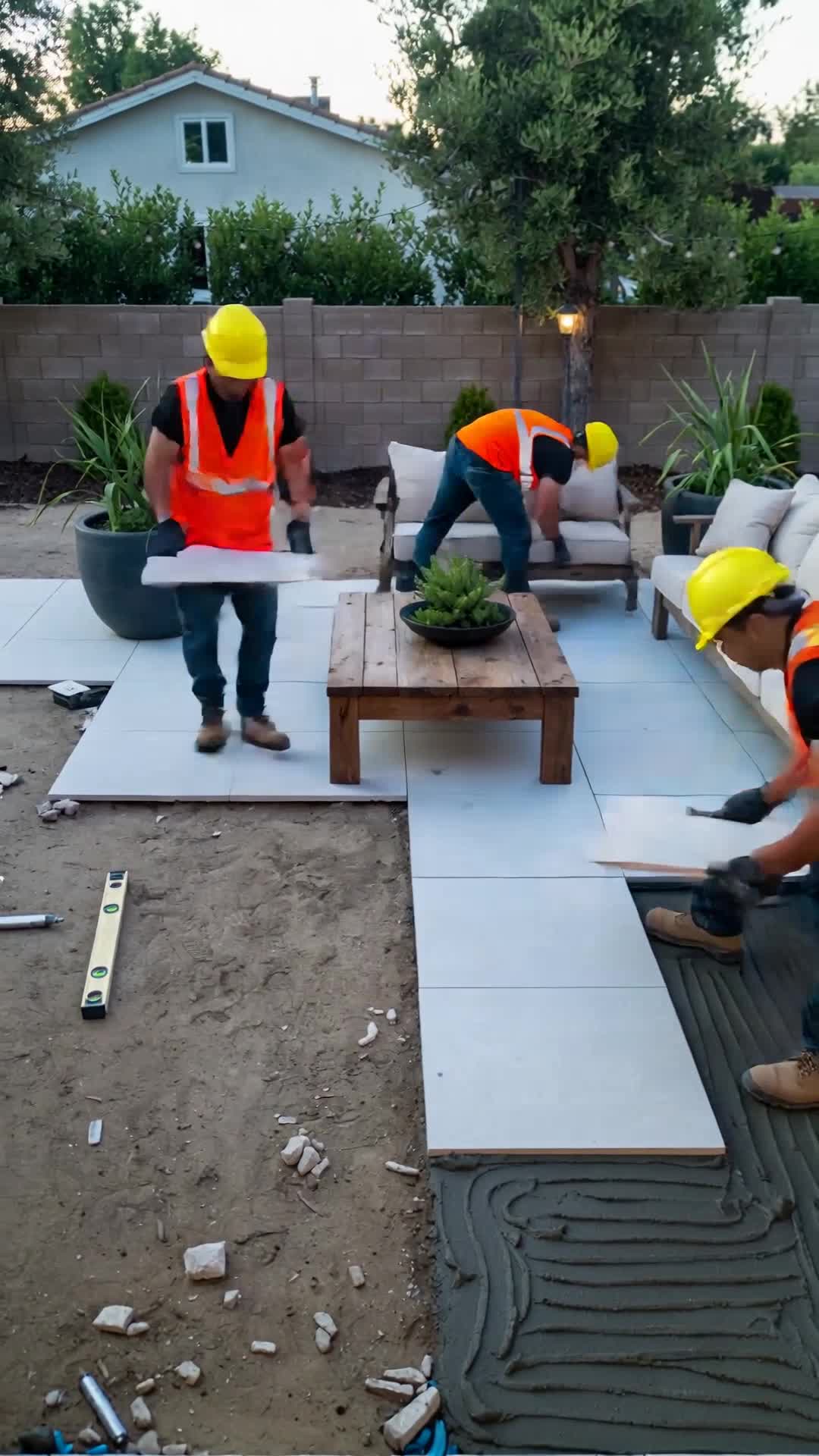
Create a realistic 30-second vertical 9:16 video showing two construction workers installing large white patio tiles in a modern backyard. Show the entire construction process in a smooth timelapse. Gradually transform the unfinished backyard into a luxurious outdoor living space with an L-shaped...
 Video
Video
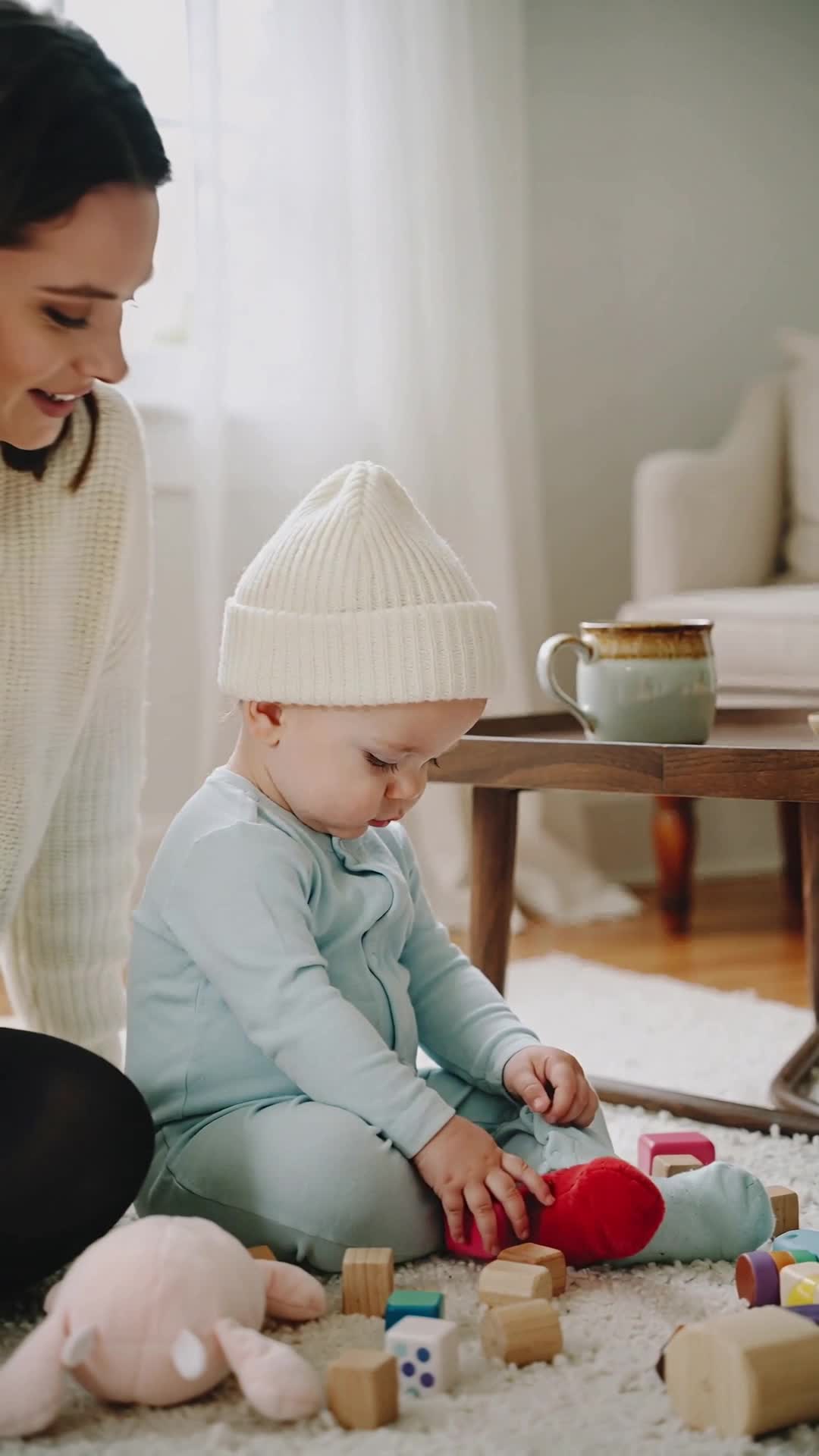
Create a warm, emotional 8–10 second cinematic video showing the difference between a young child playing alone and playing with their mother. Scene 1: A toddler sits on the floor playing with toys independently. The child is calm and focused, exploring and learning through independent play. The...
![«same character as reference, [сцена]». Кадры для песни Colores (вертикальные 9:16): Оба машут, п...](https://content.doitong.com/images/video_animations/6abee0d48eaa6d0d3a61cd87/thumbnail.jpg) Video
Video
«same character as reference, [сцена]». Кадры для песни Colores (вертикальные 9:16): Оба машут, приветствие Pipo держит красное яблоко Luna под голубым небом с голубым шариком Жёлтое солнце и цыплёнок рядом с героями Зелёная лягушка на листе, герои смотрят на неё Фиолетовый виноград Оба танцуют...
 Video
Video
Сцена 2 — Бананыч роняет коктейль (5 сек) Cute anthropomorphic banana man Bananych dropping cocktail, funny shocked face, eyes wide, tropical beach, other fruit characters reacting, charming and hilarious, stylized 3D Pixar-quality render, cinematic lighting, 9:16 vertical Render entirely in "3D...
 Video
Video
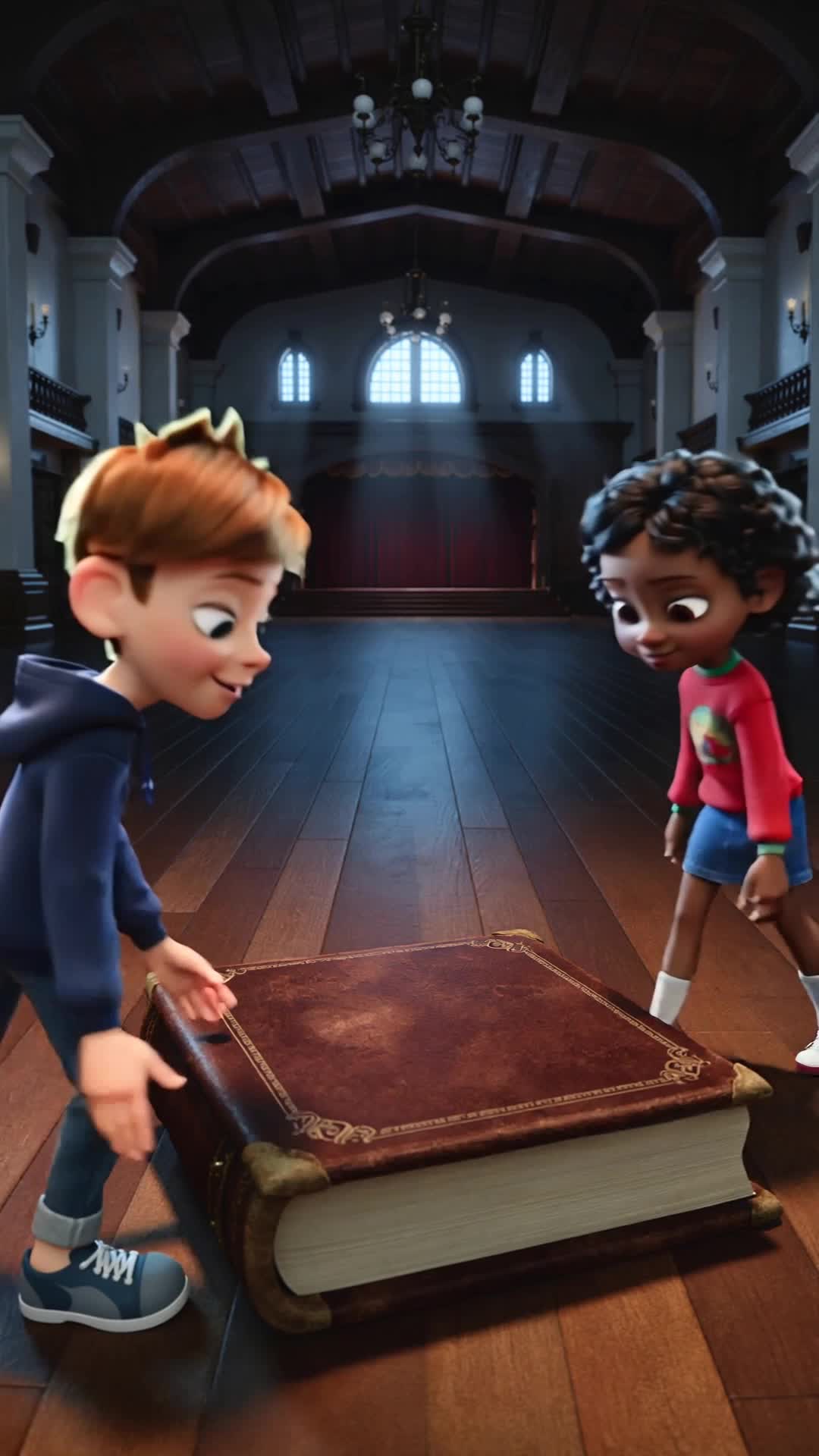
тёплый сюжет — дети не рассказывают историю «Мәңгілік», а находят её и понимают, что однажды могут стать её продолжением. Мультфильм «История, которую мы продолжаем» Продолжительность — 40–60 секунд. Без слов. Кадр 1. Тёмный зал. На полу лежит большая старинная книга. На обложке надпись:...
 Video
Video
Создай короткое фотореалистичное кинематографичное видео из двух последовательных кадров с одной и той же девушкой из референс-фото. Максимально точно сохрани её внешность: лицо, черты лица, глаза, волосы, цвет кожи и телосложение. КАДР 1 — КОШМАР: Ночь. Девушка спит в своей кровати в тёмной...
 Video
Video
Cinematic photorealistic animation based strictly on the reference image. Preserve the girl’s exact face, facial features, hairstyle, clothing, age and identity. She stands in the middle of a rainy city street at night, visibly shocked and devastated after witnessing a terrible accident. Her wet...
 Video
Video
Create a cinematic emotional scene inspired by an epic historical drama. Show the same dark samurai warrior from the reference image walking slowly through a vast golden wheat field at sunset. He is seen from behind and slightly from the side, wearing detailed dark samurai armor and a traditional...
 Video
Video
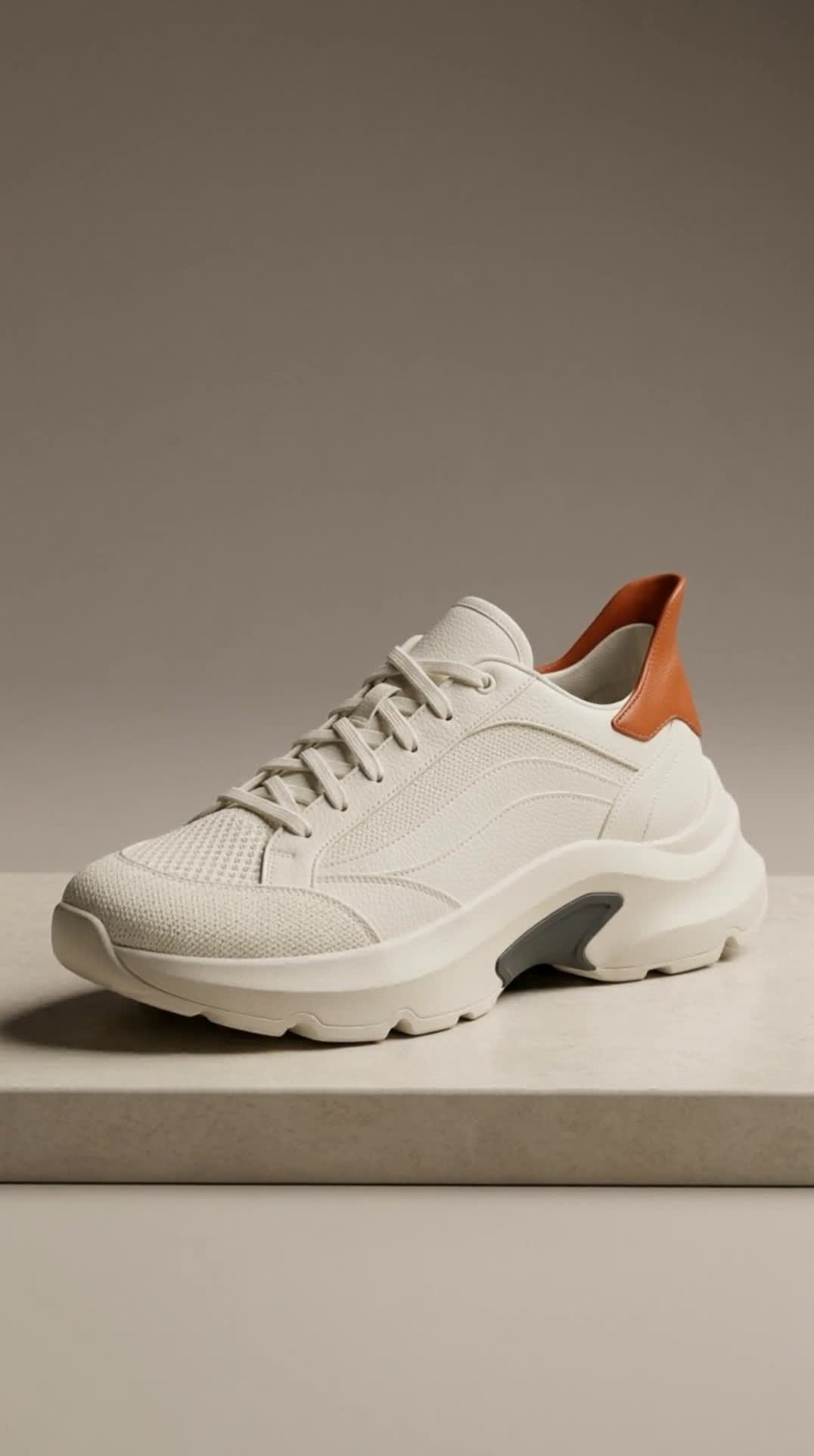
Animate the supplied first frame. Preserve the exact single sneaker, same ivory knit upper, ivory curved panels, orange heel tab, charcoal inset, sole shape and laces. Shoe stays still on its limestone plinth. A very slow smooth camera arc of only a few degrees toward the side, soft studio light...
 Video
Video
Animate the supplied first frame. Preserve exactly the same adult woman, face, hazel eyes, curly bob, freckles, rust-red jacket and ivory shirt. She slowly raises her chin and looks toward the soft warm light, takes one natural quiet breath, then settles into a subtle confident expression....
Die Steuerelemente werden aus dem Modellschema generiert. Code und Preis werden aktualisiert, während du sie änderst.
/run/kling-video/create-voice?wait=20
Preis → 0,007 $
# Run the model; wait up to 20 s for the finished result in the same call
curl -X POST "https://api.doitong.com/v1/run/kling-video/create-voice?wait=20" \
  -H "Authorization: Bearer $DOITONG_API_KEY" \
  -H "Content-Type: application/json" \
  -d '{
    "voice_url": "https://content.doitong.com/audio/showcase/v3/tools/dub_es.mp3"
  }'

# Still "queued" or "running"? Poll with the id from the response:
curl "https://api.doitong.com/v1/requests/REQUEST_ID?wait=20" \
  -H "Authorization: Bearer $DOITONG_API_KEY"
const API = "https://api.doitong.com/v1";
const headers = {
"Authorization": "Bearer " + process.env.DOITONG_API_KEY,
"Content-Type": "application/json",
};
// Run the model; wait up to 20 s for the finished result in the same call
let res = await fetch(API + "/run/kling-video/create-voice?wait=20", {
method: "POST",
headers,
body: JSON.stringify({
"voice_url": "https://content.doitong.com/audio/showcase/v3/tools/dub_es.mp3"
}),
});
let request = await res.json();
if (!res.ok) throw new Error(request.error.code + ": " + request.error.message);
// Not finished yet: long-poll until it is
while (request.status === "queued" || request.status === "running") {
res = await fetch(API + "/requests/" + request.id + "?wait=20", { headers });
request = await res.json();
}
if (request.status !== "succeeded") throw new Error(JSON.stringify(request.error));
console.log(request.outputs.map((o) => o.url), request.cost.credits + " API credits ($" + request.cost.usd + ")");import os
import requests
API = "https://api.doitong.com/v1"
headers = {"Authorization": "Bearer " + os.environ["DOITONG_API_KEY"]}
payload = {
"voice_url": "https://content.doitong.com/audio/showcase/v3/tools/dub_es.mp3",
}
# Run the model; wait up to 20 s for the finished result in the same call
r = requests.post(API + "/run/kling-video/create-voice", params={"wait": 20}, json=payload, headers=headers)
request = r.json()
if not r.ok:
raise RuntimeError(request["error"]["code"] + ": " + request["error"]["message"])
# Not finished yet: long-poll until it is
while request["status"] in ("queued", "running"):
request = requests.get(API + "/requests/" + request["id"], params={"wait": 20}, headers=headers).json()
if request["status"] != "succeeded":
raise RuntimeError(request["error"])
print([o["url"] for o in request["outputs"]], request["cost"]["credits"], "API credits", "$" + request["cost"]["usd"]){
"jsonrpc": "2.0",
"id": 1,
"method": "tools/call",
"params": {
"name": "run",
"arguments": {
"model_id": "kling-video/create-voice",
"input": {
"voice_url": "https://content.doitong.com/audio/showcase/v3/tools/dub_es.mp3"
},
"wait_seconds": 20
}
}
}Dein Schlüssel bleibt in diesem Browser: Er wird nur an die Doitong API gesendet und nur gespeichert (localStorage), wenn du „Merken“ aktivierst. API-Schlüssel abrufen
Erstellt eine wiederverwendbare Stimme für die Sprachsteuerung von Kling-Modellen. Geben Sie `voice_url` an, das auf eine .mp3/.wav-Audiodatei oder ein .mp4/.mov-Video mit einer Länge von 5 bis 30 Sekunden und klarer Sprache einer einzelnen Stimme verweist. Das Ergebnis ist ein `voice_id`-String, der die neue Stimme identifiziert.
enable_safety_checkeroptional
voice_urlerforderlich
Dateiparameter akzeptieren eine öffentliche https://-URL, eine data:-URI bis 10 MB oder die file_url eines Uploads. Dateien
{
  "id": "req_8k2m4q7x1z9c3v5b6n0p2r4t",
  "object": "request",
  "model": "kling-video/create-voice",
  "status": "succeeded",
  "created_at": "2026-10-20T12:00:00Z",
  "started_at": "2026-10-20T12:00:02Z",
  "completed_at": "2026-10-20T12:00:09Z",
  "queue_position": null,
  "cost": {
    "credits": 7,
    "usd": "0.007",
    "charged": 7,
    "refunded": 0
  },
  "input": {
    "voice_url": "https://content.doitong.com/audio/showcase/v3/tools/dub_es.mp3"
  },
  "output": {
    "voice_id": "829877809978941442"
  },
  "outputs": [
    {
      "type": "file",
      "url": "https://content.doitong.com/dev-api/2026/10/20/req_8k2m4q7x1z9c3v5b6n0p2r4t/0-output.jpeg",
      "content_type": "image/jpeg",
      "file_size": 1843200,
      "stored": true
    }
  ],
  "error": null,
  "metrics": {
    "inference_seconds": 6.8
  },
  "urls": {
    "self": "https://api.doitong.com/v1/requests/req_8k2m4q7x1z9c3v5b6n0p2r4t",
    "cancel": "https://api.doitong.com/v1/requests/req_8k2m4q7x1z9c3v5b6n0p2r4t/cancel"
  }
}
Für KI-Agenten: Diese Seite ist als Markdown verfügbar unter https://doitong.com/de/developers/models/kling-video/create-voice.md. Alle Modelle und Anleitungen: https://doitong.com/developers/llms.txt