Video
Wan Text to Video Varianten: 4
ab 0,10 $ / Sekunde
100 API-Credits / Sekunde
5 s ≈ 0,50 $
Keine Treffer. Versuche „video“, „FLUX“ oder „webhooks“.
Modelle werden geladen…
wan/v2.7/image-to-video
# Run the model; wait up to 20 s for the finished result in the same call
curl -X POST "https://api.doitong.com/v1/run/wan/v2.7/image-to-video?wait=20" \
  -H "Authorization: Bearer $DOITONG_API_KEY" \
  -H "Content-Type: application/json" \
  -d '{
    "prompt": "A red fox trots through fresh snow at sunrise, soft golden light, shallow depth of field"
  }'

# Still "queued" or "running"? Poll with the id from the response:
curl "https://api.doitong.com/v1/requests/REQUEST_ID?wait=20" \
  -H "Authorization: Bearer $DOITONG_API_KEY"
const API = "https://api.doitong.com/v1";
const headers = {
"Authorization": "Bearer " + process.env.DOITONG_API_KEY,
"Content-Type": "application/json",
};
// Run the model; wait up to 20 s for the finished result in the same call
let res = await fetch(API + "/run/wan/v2.7/image-to-video?wait=20", {
method: "POST",
headers,
body: JSON.stringify({
"prompt": "A red fox trots through fresh snow at sunrise, soft golden light, shallow depth of field"
}),
});
let request = await res.json();
if (!res.ok) throw new Error(request.error.code + ": " + request.error.message);
// Not finished yet: long-poll until it is
while (request.status === "queued" || request.status === "running") {
res = await fetch(API + "/requests/" + request.id + "?wait=20", { headers });
request = await res.json();
}
if (request.status !== "succeeded") throw new Error(JSON.stringify(request.error));
console.log(request.outputs.map((o) => o.url), request.cost.credits + " API credits ($" + request.cost.usd + ")");import os
import requests
API = "https://api.doitong.com/v1"
headers = {"Authorization": "Bearer " + os.environ["DOITONG_API_KEY"]}
payload = {
"prompt": "A red fox trots through fresh snow at sunrise, soft golden light, shallow depth of field",
}
# Run the model; wait up to 20 s for the finished result in the same call
r = requests.post(API + "/run/wan/v2.7/image-to-video", params={"wait": 20}, json=payload, headers=headers)
request = r.json()
if not r.ok:
raise RuntimeError(request["error"]["code"] + ": " + request["error"]["message"])
# Not finished yet: long-poll until it is
while request["status"] in ("queued", "running"):
request = requests.get(API + "/requests/" + request["id"], params={"wait": 20}, headers=headers).json()
if request["status"] != "succeeded":
raise RuntimeError(request["error"])
print([o["url"] for o in request["outputs"]], request["cost"]["credits"], "API credits", "$" + request["cost"]["usd"])# 1. Connect once (Claude Code; Cursor, VS Code, Claude Desktop: https://doitong.com/de/developers/docs/mcp)
claude mcp add --transport http doitong-models https://api.doitong.com/v1/mcp \
--header "Authorization: Bearer $DOITONG_API_KEY"
# 2. Your agent calls the "run" tool with:
{
"model_id": "wan/v2.7/image-to-video",
"input": {
"prompt": "A red fox trots through fresh snow at sunrise, soft golden light, shallow depth of field"
}
}Rufe das Modell Wan · v2.7 · Image to Video (wan/v2.7/image-to-video) über die Doitong API auf. Dokumentation für Agenten: https://doitong.com/de/developers/models/wan/v2.7/image-to-video.md
POST https://api.doitong.com/v1/run/wan/v2.7/image-to-video?wait=20
Authorization: Bearer $DOITONG_API_KEY
Content-Type: application/json
{
"prompt": "A red fox trots through fresh snow at sunrise, soft golden light, shallow depth of field"
}
Wenn der Antwortstatus "queued" oder "running" lautet, frage GET https://api.doitong.com/v1/requests/REQUEST_ID?wait=20 ab, bis er "succeeded" lautet; die Dateien befinden sich in outputs[].url. POST https://api.doitong.com/v1/quote/wan/v2.7/image-to-video mit demselben Body gibt den exakten Preis vor der Ausführung zurück.Diese Anfrage: 0,75 $ 750 API-Credits Auf dieser Seite ausführen
Dein neuer API-Schlüssel. Sie wird nur jetzt angezeigt und befindet sich bereits im Code und im untenstehenden API-Schlüssel-Feld. Halten Sie sie geheim: Fügen Sie sie niemals in Code ein, der in einem Browser ausgeführt wird.
Öffentliche Werke der Doitong-Community mit Wan27. Verwende einen Prompt mit einem Klick erneut.
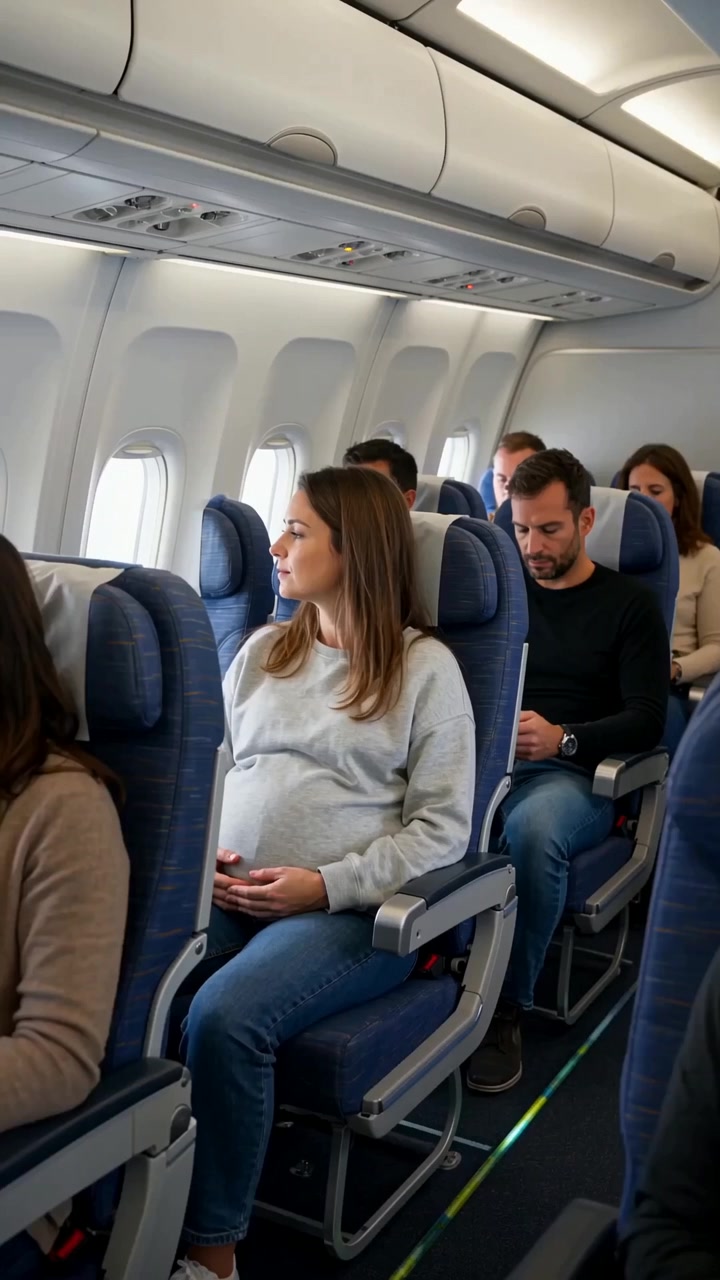 Video
Create a realistic cinematic UGC-style commercial video, exactly 30 seconds long. The entire scene takes place inside a modern passenger airplane during a daytime flight. Natural smartphone-like cinematography, realistic airplane cabin, authentic passengers, natural lighting, realistic skin...
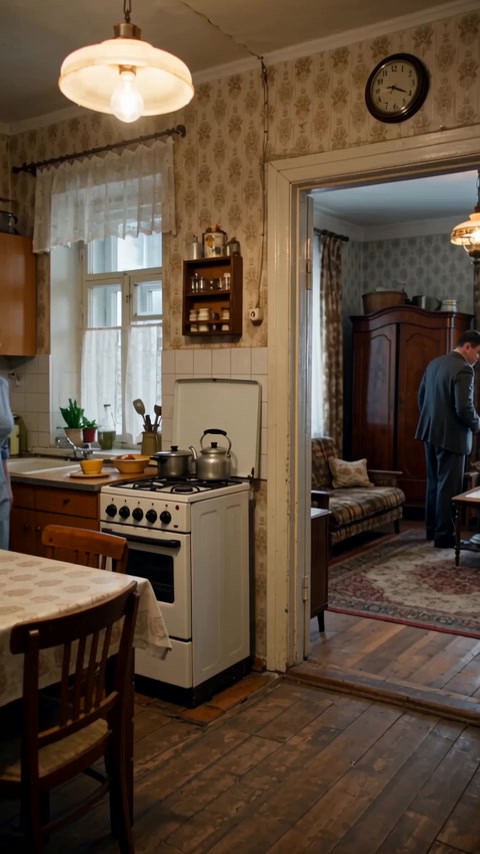 Video
Реалистичная бытовая сцена в советской одесской квартире зимним вечером. Женщина находится на кухне, мужчина — в комнате и прихожей. Атмосфера обычной советской семьи перед приходом гостей. Голоса: все персонажи говорят по-русски с естественным, выразительным одесским говором. Характерная...
Die Steuerelemente werden aus dem Modellschema generiert. Code und Preis werden aktualisiert, während du sie änderst.
/run/wan/v2.7/image-to-video?wait=20
Preis → 0,75 $
# Run the model; wait up to 20 s for the finished result in the same call
curl -X POST "https://api.doitong.com/v1/run/wan/v2.7/image-to-video?wait=20" \
  -H "Authorization: Bearer $DOITONG_API_KEY" \
  -H "Content-Type: application/json" \
  -d '{
    "prompt": "A red fox trots through fresh snow at sunrise, soft golden light, shallow depth of field"
  }'

# Still "queued" or "running"? Poll with the id from the response:
curl "https://api.doitong.com/v1/requests/REQUEST_ID?wait=20" \
  -H "Authorization: Bearer $DOITONG_API_KEY"
const API = "https://api.doitong.com/v1";
const headers = {
"Authorization": "Bearer " + process.env.DOITONG_API_KEY,
"Content-Type": "application/json",
};
// Run the model; wait up to 20 s for the finished result in the same call
let res = await fetch(API + "/run/wan/v2.7/image-to-video?wait=20", {
method: "POST",
headers,
body: JSON.stringify({
"prompt": "A red fox trots through fresh snow at sunrise, soft golden light, shallow depth of field"
}),
});
let request = await res.json();
if (!res.ok) throw new Error(request.error.code + ": " + request.error.message);
// Not finished yet: long-poll until it is
while (request.status === "queued" || request.status === "running") {
res = await fetch(API + "/requests/" + request.id + "?wait=20", { headers });
request = await res.json();
}
if (request.status !== "succeeded") throw new Error(JSON.stringify(request.error));
console.log(request.outputs.map((o) => o.url), request.cost.credits + " API credits ($" + request.cost.usd + ")");import os
import requests
API = "https://api.doitong.com/v1"
headers = {"Authorization": "Bearer " + os.environ["DOITONG_API_KEY"]}
payload = {
"prompt": "A red fox trots through fresh snow at sunrise, soft golden light, shallow depth of field",
}
# Run the model; wait up to 20 s for the finished result in the same call
r = requests.post(API + "/run/wan/v2.7/image-to-video", params={"wait": 20}, json=payload, headers=headers)
request = r.json()
if not r.ok:
raise RuntimeError(request["error"]["code"] + ": " + request["error"]["message"])
# Not finished yet: long-poll until it is
while request["status"] in ("queued", "running"):
request = requests.get(API + "/requests/" + request["id"], params={"wait": 20}, headers=headers).json()
if request["status"] != "succeeded":
raise RuntimeError(request["error"])
print([o["url"] for o in request["outputs"]], request["cost"]["credits"], "API credits", "$" + request["cost"]["usd"]){
"jsonrpc": "2.0",
"id": 1,
"method": "tools/call",
"params": {
"name": "run",
"arguments": {
"model_id": "wan/v2.7/image-to-video",
"input": {
"prompt": "A red fox trots through fresh snow at sunrise, soft golden light, shallow depth of field"
},
"wait_seconds": 20
}
}
}Dein Schlüssel bleibt in diesem Browser: Er wird nur an die Doitong API gesendet und nur gespeichert (localStorage), wenn du „Merken“ aktivierst. API-Schlüssel abrufen
Wandelt ein statisches Bild in einen Videoclip um. Übergib `image_url` als erstes Einzelbild und optional `end_image_url`, um das letzte Einzelbild festzulegen, oder `video_url` (2–10 s), um einen bestehenden Clip fortzusetzen, statt ein Bild zu verwenden. `audio_url` kann den Clip mit WAV- oder MP3-Audio steuern. Die Dauer beträgt 2 bis 15 Sekunden bei 720p oder 1080p, und der Prompt darf bis zu 5000 Zeichen lang sein.
Sende entweder den kanonischen Namen oder den nativen Namen, nicht beide. Kanonische Namen
promptoptional
image_urloptional
image
end_image_urloptional
end_image
video_urloptional
video
audio_urloptional
audio
resolutionoptional
durationoptional
negative_promptoptional
enable_prompt_expansionoptional
seedoptional
enable_safety_checkeroptional
Dateiparameter akzeptieren eine öffentliche https://-URL, eine data:-URI bis 10 MB oder die file_url eines Uploads. Dateien
{
  "id": "req_8k2m4q7x1z9c3v5b6n0p2r4t",
  "object": "request",
  "model": "wan/v2.7/image-to-video",
  "status": "succeeded",
  "created_at": "2026-10-20T12:00:00Z",
  "started_at": "2026-10-20T12:00:02Z",
  "completed_at": "2026-10-20T12:00:09Z",
  "queue_position": null,
  "cost": {
    "credits": 750,
    "usd": "0.75",
    "charged": 750,
    "refunded": 0
  },
  "input": {
    "prompt": "A red fox trots through fresh snow at sunrise, soft golden light, shallow depth of field"
  },
  "output": {
    "video": {
      "url": "https://content.doitong.com/dev-api/2026/10/20/req_8k2m4q7x1z9c3v5b6n0p2r4t/0-output.mp4",
      "content_type": "video/mp4",
      "file_name": "0-output.mp4",
      "file_size": 1843200,
      "width": 1024,
      "height": 768,
      "fps": 1.0,
      "duration": 5,
      "num_frames": 1
    },
    "seed": 42,
    "actual_prompt": "string"
  },
  "outputs": [
    {
      "type": "video",
      "url": "https://content.doitong.com/dev-api/2026/10/20/req_8k2m4q7x1z9c3v5b6n0p2r4t/0-output.mp4",
      "content_type": "video/mp4",
      "file_size": 1843200,
      "width": 1280,
      "height": 720,
      "duration": 5,
      "stored": true
    }
  ],
  "error": null,
  "metrics": {
    "inference_seconds": 6.8
  },
  "urls": {
    "self": "https://api.doitong.com/v1/requests/req_8k2m4q7x1z9c3v5b6n0p2r4t",
    "cancel": "https://api.doitong.com/v1/requests/req_8k2m4q7x1z9c3v5b6n0p2r4t/cancel"
  }
}


Für KI-Agenten: Diese Seite ist als Markdown verfügbar unter https://doitong.com/de/developers/models/wan/v2.7/image-to-video.md. Alle Modelle und Anleitungen: https://doitong.com/developers/llms.txt