画像
Krea 2 Large バリアント: 3
$0.06から
60 APIクレジット
一致する項目がありません。「video」、「FLUX」、「webhooks」などをお試しください。
モデルを読み込み中…
krea/v2/medium/text-to-image
# Run the model; wait up to 20 s for the finished result in the same call
curl -X POST "https://api.doitong.com/v1/run/krea/v2/medium/text-to-image?wait=20" \
  -H "Authorization: Bearer $DOITONG_API_KEY" \
  -H "Content-Type: application/json" \
  -d '{
    "prompt": "A red fox trots through fresh snow at sunrise, soft golden light, shallow depth of field"
  }'

# Still "queued" or "running"? Poll with the id from the response:
curl "https://api.doitong.com/v1/requests/REQUEST_ID?wait=20" \
  -H "Authorization: Bearer $DOITONG_API_KEY"
const API = "https://api.doitong.com/v1";
const headers = {
"Authorization": "Bearer " + process.env.DOITONG_API_KEY,
"Content-Type": "application/json",
};
// Run the model; wait up to 20 s for the finished result in the same call
let res = await fetch(API + "/run/krea/v2/medium/text-to-image?wait=20", {
method: "POST",
headers,
body: JSON.stringify({
"prompt": "A red fox trots through fresh snow at sunrise, soft golden light, shallow depth of field"
}),
});
let request = await res.json();
if (!res.ok) throw new Error(request.error.code + ": " + request.error.message);
// Not finished yet: long-poll until it is
while (request.status === "queued" || request.status === "running") {
res = await fetch(API + "/requests/" + request.id + "?wait=20", { headers });
request = await res.json();
}
if (request.status !== "succeeded") throw new Error(JSON.stringify(request.error));
console.log(request.outputs.map((o) => o.url), request.cost.credits + " API credits ($" + request.cost.usd + ")");import os
import requests
API = "https://api.doitong.com/v1"
headers = {"Authorization": "Bearer " + os.environ["DOITONG_API_KEY"]}
payload = {
"prompt": "A red fox trots through fresh snow at sunrise, soft golden light, shallow depth of field",
}
# Run the model; wait up to 20 s for the finished result in the same call
r = requests.post(API + "/run/krea/v2/medium/text-to-image", params={"wait": 20}, json=payload, headers=headers)
request = r.json()
if not r.ok:
raise RuntimeError(request["error"]["code"] + ": " + request["error"]["message"])
# Not finished yet: long-poll until it is
while request["status"] in ("queued", "running"):
request = requests.get(API + "/requests/" + request["id"], params={"wait": 20}, headers=headers).json()
if request["status"] != "succeeded":
raise RuntimeError(request["error"])
print([o["url"] for o in request["outputs"]], request["cost"]["credits"], "API credits", "$" + request["cost"]["usd"])# 1. Connect once (Claude Code; Cursor, VS Code, Claude Desktop: https://doitong.com/ja/developers/docs/mcp)
claude mcp add --transport http doitong-models https://api.doitong.com/v1/mcp \
--header "Authorization: Bearer $DOITONG_API_KEY"
# 2. Your agent calls the "run" tool with:
{
"model_id": "krea/v2/medium/text-to-image",
"input": {
"prompt": "A red fox trots through fresh snow at sunrise, soft golden light, shallow depth of field"
}
}Doitong APIを通じてKrea 2 Mediumモデル(krea/v2/medium/text-to-image)を呼び出します。エージェント向けドキュメント: https://doitong.com/ja/developers/models/krea/v2/medium/text-to-image.md
POST https://api.doitong.com/v1/run/krea/v2/medium/text-to-image?wait=20
Authorization: Bearer $DOITONG_API_KEY
Content-Type: application/json
{
"prompt": "A red fox trots through fresh snow at sunrise, soft golden light, shallow depth of field"
}
レスポンスのステータスが"queued"または"running"の場合、"succeeded"になるまでGET https://api.doitong.com/v1/requests/REQUEST_ID?wait=20をポーリングしてください。ファイルはoutputs[].urlにあります。同じボディでPOST https://api.doitong.com/v1/quote/krea/v2/medium/text-to-imageを実行すると、実行前の正確な価格が返されます。このリクエスト: $0.03 30 APIクレジット このページで実行
新しいAPIキーです。 これは今だけ表示され、コードと下記のAPIキー欄にすでに入力されています。秘密にしてください。ブラウザで実行されるコードに決して含めないでください。
コントロールはモデルスキーマから生成されます。値を変更するとコードと価格が更新されます。
/run/krea/v2/medium/text-to-image?wait=20
見積もり → $0.03
# Run the model; wait up to 20 s for the finished result in the same call
curl -X POST "https://api.doitong.com/v1/run/krea/v2/medium/text-to-image?wait=20" \
  -H "Authorization: Bearer $DOITONG_API_KEY" \
  -H "Content-Type: application/json" \
  -d '{
    "prompt": "A red fox trots through fresh snow at sunrise, soft golden light, shallow depth of field"
  }'

# Still "queued" or "running"? Poll with the id from the response:
curl "https://api.doitong.com/v1/requests/REQUEST_ID?wait=20" \
  -H "Authorization: Bearer $DOITONG_API_KEY"
const API = "https://api.doitong.com/v1";
const headers = {
"Authorization": "Bearer " + process.env.DOITONG_API_KEY,
"Content-Type": "application/json",
};
// Run the model; wait up to 20 s for the finished result in the same call
let res = await fetch(API + "/run/krea/v2/medium/text-to-image?wait=20", {
method: "POST",
headers,
body: JSON.stringify({
"prompt": "A red fox trots through fresh snow at sunrise, soft golden light, shallow depth of field"
}),
});
let request = await res.json();
if (!res.ok) throw new Error(request.error.code + ": " + request.error.message);
// Not finished yet: long-poll until it is
while (request.status === "queued" || request.status === "running") {
res = await fetch(API + "/requests/" + request.id + "?wait=20", { headers });
request = await res.json();
}
if (request.status !== "succeeded") throw new Error(JSON.stringify(request.error));
console.log(request.outputs.map((o) => o.url), request.cost.credits + " API credits ($" + request.cost.usd + ")");import os
import requests
API = "https://api.doitong.com/v1"
headers = {"Authorization": "Bearer " + os.environ["DOITONG_API_KEY"]}
payload = {
"prompt": "A red fox trots through fresh snow at sunrise, soft golden light, shallow depth of field",
}
# Run the model; wait up to 20 s for the finished result in the same call
r = requests.post(API + "/run/krea/v2/medium/text-to-image", params={"wait": 20}, json=payload, headers=headers)
request = r.json()
if not r.ok:
raise RuntimeError(request["error"]["code"] + ": " + request["error"]["message"])
# Not finished yet: long-poll until it is
while request["status"] in ("queued", "running"):
request = requests.get(API + "/requests/" + request["id"], params={"wait": 20}, headers=headers).json()
if request["status"] != "succeeded":
raise RuntimeError(request["error"])
print([o["url"] for o in request["outputs"]], request["cost"]["credits"], "API credits", "$" + request["cost"]["usd"]){
"jsonrpc": "2.0",
"id": 1,
"method": "tools/call",
"params": {
"name": "run",
"arguments": {
"model_id": "krea/v2/medium/text-to-image",
"input": {
"prompt": "A red fox trots through fresh snow at sunrise, soft golden light, shallow depth of field"
},
"wait_seconds": 20
}
}
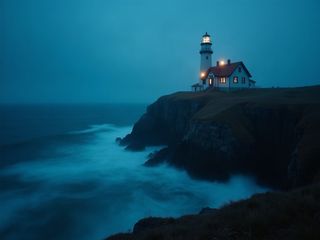
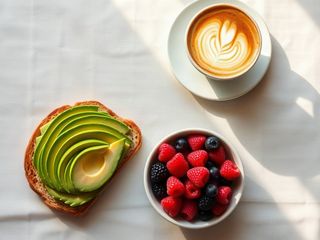
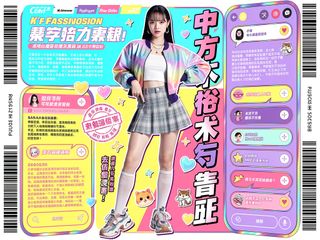
}最大 5000 文字のテキストプロンプトから画像を生成します。`aspect_ratio` は 1:1 から 2.35:1 および 9:16 までの 8 種類に対応します。`creativity` は raw から high の範囲で、結果がプロンプトにどの程度忠実かを制御します。最大 10 個の `image_style_references`、最大 10 個のプリセット `styles`、または 1 つのムードボードで見た目を指定でき、`seed` で結果を再現可能にできます。
prompt必須
aspect_ratio任意
creativity任意
seed任意
image_style_references任意
image_style_references[].image_url必須
image_style_references[].strength任意
styles任意
styles[].id必須
styles[].strength任意
moodboards任意
moodboards[].id必須
moodboards[].strength任意
enable_safety_checker任意
{
  "id": "req_8k2m4q7x1z9c3v5b6n0p2r4t",
  "object": "request",
  "model": "krea/v2/medium/text-to-image",
  "status": "succeeded",
  "created_at": "2026-10-20T12:00:00Z",
  "started_at": "2026-10-20T12:00:02Z",
  "completed_at": "2026-10-20T12:00:09Z",
  "queue_position": null,
  "cost": {
    "credits": 30,
    "usd": "0.03",
    "charged": 30,
    "refunded": 0
  },
  "input": {
    "prompt": "A red fox trots through fresh snow at sunrise, soft golden light, shallow depth of field"
  },
  "output": {
    "images": [
      {
        "url": "https://content.doitong.com/dev-api/2026/10/20/req_8k2m4q7x1z9c3v5b6n0p2r4t/0-output.jpeg",
        "content_type": "image/jpeg",
        "file_name": "0-output.jpeg",
        "file_size": 1843200,
        "width": 1024,
        "height": 768
      }
    ],
    "seed": 42
  },
  "outputs": [
    {
      "type": "image",
      "url": "https://content.doitong.com/dev-api/2026/10/20/req_8k2m4q7x1z9c3v5b6n0p2r4t/0-output.jpeg",
      "content_type": "image/jpeg",
      "file_size": 1843200,
      "width": 1024,
      "height": 768,
      "stored": true
    }
  ],
  "error": null,
  "metrics": {
    "inference_seconds": 6.8
  },
  "urls": {
    "self": "https://api.doitong.com/v1/requests/req_8k2m4q7x1z9c3v5b6n0p2r4t",
    "cancel": "https://api.doitong.com/v1/requests/req_8k2m4q7x1z9c3v5b6n0p2r4t/cancel"
  }
}





AIエージェント向け:このページのMarkdown版はこちらです: https://doitong.com/ja/developers/models/krea/v2/medium/text-to-image.md. すべてのモデルとガイド: https://doitong.com/developers/llms.txt