ไฟล์
MiniMax H3 First Last Frame LoRA Trainer รูปแบบ: 4
$0.01 / ขั้น
10 เครดิต API / ขั้น
ไม่พบรายการที่ตรงกัน ลอง “วิดีโอ”, “FLUX” หรือ “webhooks”
กำลังโหลดโมเดล…
minimax/h3/ref2va/trainer
# Run the model; wait up to 20 s for the finished result in the same call
curl -X POST "https://api.doitong.com/v1/run/minimax/h3/ref2va/trainer?wait=20" \
  -H "Authorization: Bearer $DOITONG_API_KEY" \
  -H "Content-Type: application/json" \
  -d '{
    "training_data_url": "https://example.com/your-file.zip"
  }'

# Still "queued" or "running"? Poll with the id from the response:
curl "https://api.doitong.com/v1/requests/REQUEST_ID?wait=20" \
  -H "Authorization: Bearer $DOITONG_API_KEY"
const API = "https://api.doitong.com/v1";
const headers = {
"Authorization": "Bearer " + process.env.DOITONG_API_KEY,
"Content-Type": "application/json",
};
// Run the model; wait up to 20 s for the finished result in the same call
let res = await fetch(API + "/run/minimax/h3/ref2va/trainer?wait=20", {
method: "POST",
headers,
body: JSON.stringify({
"training_data_url": "https://example.com/your-file.zip"
}),
});
let request = await res.json();
if (!res.ok) throw new Error(request.error.code + ": " + request.error.message);
// Not finished yet: long-poll until it is
while (request.status === "queued" || request.status === "running") {
res = await fetch(API + "/requests/" + request.id + "?wait=20", { headers });
request = await res.json();
}
if (request.status !== "succeeded") throw new Error(JSON.stringify(request.error));
console.log(request.outputs.map((o) => o.url), request.cost.credits + " API credits ($" + request.cost.usd + ")");import os
import requests
API = "https://api.doitong.com/v1"
headers = {"Authorization": "Bearer " + os.environ["DOITONG_API_KEY"]}
payload = {
"training_data_url": "https://example.com/your-file.zip",
}
# Run the model; wait up to 20 s for the finished result in the same call
r = requests.post(API + "/run/minimax/h3/ref2va/trainer", params={"wait": 20}, json=payload, headers=headers)
request = r.json()
if not r.ok:
raise RuntimeError(request["error"]["code"] + ": " + request["error"]["message"])
# Not finished yet: long-poll until it is
while request["status"] in ("queued", "running"):
request = requests.get(API + "/requests/" + request["id"], params={"wait": 20}, headers=headers).json()
if request["status"] != "succeeded":
raise RuntimeError(request["error"])
print([o["url"] for o in request["outputs"]], request["cost"]["credits"], "API credits", "$" + request["cost"]["usd"])# 1. Connect once (Claude Code; Cursor, VS Code, Claude Desktop: https://doitong.com/th/developers/docs/mcp)
claude mcp add --transport http doitong-models https://api.doitong.com/v1/mcp \
--header "Authorization: Bearer $DOITONG_API_KEY"
# 2. Your agent calls the "run" tool with:
{
"model_id": "minimax/h3/ref2va/trainer",
"input": {
"training_data_url": "https://example.com/your-file.zip"
}
}เรียกใช้โมเดล MiniMax H3 Reference to Video LoRA Trainer (minimax/h3/ref2va/trainer) ผ่าน Doitong API เอกสารสำหรับเอเจนต์: https://doitong.com/th/developers/models/minimax/h3/ref2va/trainer.md
POST https://api.doitong.com/v1/run/minimax/h3/ref2va/trainer?wait=20
Authorization: Bearer $DOITONG_API_KEY
Content-Type: application/json
{
"training_data_url": "https://example.com/your-file.zip"
}
หากสถานะการตอบกลับเป็น "queued" หรือ "running" ให้ส่งคำขอแบบสำรวจ GET https://api.doitong.com/v1/requests/REQUEST_ID?wait=20 จนกว่าจะเป็น "succeeded" ไฟล์อยู่ใน outputs[].url การส่ง POST https://api.doitong.com/v1/quote/minimax/h3/ref2va/trainer ด้วยบอดี้เดียวกันจะแสดงราคาที่แน่นอนก่อนเรียกใช้คำขอนี้: $30.00 30,000 เครดิต API เรียกใช้ในหน้านี้
คีย์ API ใหม่ของคุณ คีย์นี้จะแสดงเฉพาะตอนนี้ และมีอยู่ในโค้ดและช่องคีย์ API ด้านล่างแล้ว เก็บเป็นความลับ: อย่าใส่คีย์นี้ไว้ในโค้ดที่ทำงานบนเบราว์เซอร์
ผลงานสาธารณะที่สร้างด้วย MiniMax H3 โดยชุมชน Doitong นำพรอมต์กลับมาใช้ได้ในคลิกเดียว
 วิดีโอ
Close-up shot of a striking model with piercing eyes and flawless skin, a white snake elegantly coiled around her head and neck, its scales glistening in soft, diffused light. The camera gently zooms in, emphasizing the intricate texture of the snake’s scales and the model’s striking facial...
 วิดีโอ
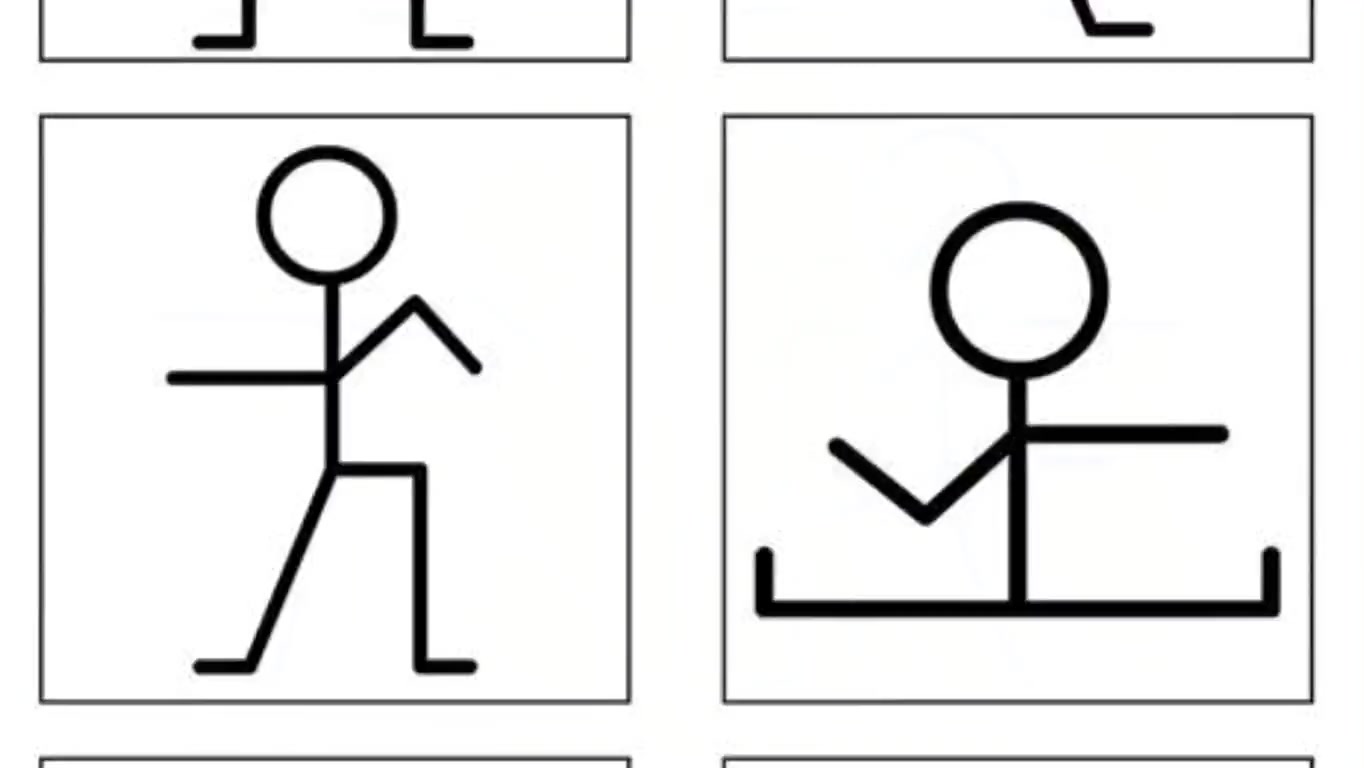
Animate the stickman drawings into a smooth dance animation. The simple black stick figure performs fun rhythmic dance moves — waving its arms, bending knees, jumping lightly, spinning, and swaying side to side in time with upbeat music. Keep the white background clean and minimal. The motion...
 วิดีโอ
A hyper-realistic, cinematic transformation sequence of the man in the uploaded image, sitting in meditation inside a traditional Japanese room. The atmosphere begins to tremble slightly as soft blue light flows around him. From the ground, thousands of magnetic nano-particles rise, shimmering...
 วิดีโอ
A cinematic transformation video of the man. The scene begins with him standing naturally, then looking down at his hands as glowing holographic projections appear around his body. Mechanical parts of the Iron Man armor start assembling piece by piece with smooth animation: chest plate forming,...
 วิดีโอ
An ultra-epic anime cinematic of Luffy’s greatest enemy unleashing a terrifying blind rage, rampaging uncontrollably against nature itself. His gigantic body is surrounded by a storm of black and crimson energy, crackling with lightning that scorches the ground. His roar shakes the heavens,...
 วิดีโอ
A fair-skinned red-haired woman with freckles tightly embraces a majestic white tiger with faint reddish stripes. They remain close, perfectly synchronized in stillness. The woman blinks slowly, slightly tilting her head with a serious and intense expression. The tiger breathes gently — its...
 วิดีโอ
The snowboarder is riding across massive, fluffy white clouds as if they were snow-covered mountains, with dramatic lighting and deep shadows adding volume and realism. The background shows a stunning blue sky with scattered soft clouds and subtle light rays. crisp cinematic quality, vivid...
![[Global Parameters] Duration: 15 seconds. Aspect ratio: 16:9. Output as one continuous long-video...](https://content.doitong.com/images/thumb/video_6a98a858b3303c7eaed5634b.jpg) วิดีโอ
วิดีโอ
[Global Parameters] Duration: 15 seconds. Aspect ratio: 16:9. Output as one continuous long-video generation with native timestamp-controlled beats as specified below. [Creatives Description] Based on the uploaded references: @image1 is the MAN — take his entire appearance 100% from this...
 วิดีโอ
Extreme close-up of a smartphone on a marble kitchen table. A text notification appears on screen. A woman's elegant hand freezes above a coffee cup. Slow push-in, warm morning light, tense atmosphere, cinematic, photorealistic, vertical 9:16. A woman speaks softly in Russian, whispering in a...
Art style: warm European aesthetic, golden hour light, soft bokeh, intimate close-ups, film grain, muted warm tones. Мужчина нажимает кнопку звонка, держа цветок. Дверь открывается, и перед ним предстает удивленная девушка. Оба замирают на месте в полном оцепенении от взаимного узнавания, не...
Art style: 3D Pixar. Каспер решительно парит навстречу Теневому Стражу, свет вокруг них усиливается, Лена наблюдает сзади. Камера остаётся неподвижной. ━━━━━━━━━━━━━━━━━━━━━━━━━━━━━━━━━━━━━━ FINAL STYLE ENFORCEMENT (this is the authoritative rendering directive — it overrides any style wording...
Art style: Classic Fairytale. RAPID MULTI-CUT SEQUENCE, ~5 hard cuts. Clinical top-down white light, palette stark white / deep black / pale skin. (0-1s) EXTREME CLOSE-UP: @Detective Alexander Vance's black-nitrile-gloved fingers press into the victim's pale neck. No pulse. Held, dead still....
Camera: orbit. Art style: DreamWorks-inspired. Low-angle cinematic shot of the gray wolf raising its head and howling melodically. Camera catches the golden late afternoon light catching the wolf's fur and the awe on Talisa and Elky's faces. SPOKEN LINE — AUTHORITATIVE, overrides any line quoted...
Camera: dolly out. Art style: DreamWorks-inspired. Camera slowly cranes upward and pulls backward into a wide panoramic sunset shot of the cozy cabin at the forest edge as Talisa and Elky reach the front door, with Elky cheering joyfully. SPOKEN LINE — AUTHORITATIVE, overrides any line quoted...
Art style: Ghibli-style anime illustration. She gently dries the rabbit's fur. The fire glows and sparks. The camera captures the cozy, safe atmosphere. ━━━━━━━━━━━━━━━━━━━━━━━━━━━━━━━━━━━━━━ FINAL STYLE ENFORCEMENT (this is the authoritative rendering directive — it overrides any style wording...
Art style: Photorealistic Cinematic Adventure Naturalism. Continue directly from the source image. Preserve Mara and Rhyss exactly as shown in the source image. Do not change their appearance, anatomy, clothing, proportions or scale. Rhyss and Mara move together upward and forward toward the...
ตัวควบคุมสร้างจากสคีมาของโมเดล โค้ดและราคาจะอัปเดตเมื่อคุณเปลี่ยนค่า
/run/minimax/h3/ref2va/trainer?wait=20
ใบเสนอราคา → $30.00
# Run the model; wait up to 20 s for the finished result in the same call
curl -X POST "https://api.doitong.com/v1/run/minimax/h3/ref2va/trainer?wait=20" \
  -H "Authorization: Bearer $DOITONG_API_KEY" \
  -H "Content-Type: application/json" \
  -d '{
    "training_data_url": "https://example.com/your-file.zip"
  }'

# Still "queued" or "running"? Poll with the id from the response:
curl "https://api.doitong.com/v1/requests/REQUEST_ID?wait=20" \
  -H "Authorization: Bearer $DOITONG_API_KEY"
const API = "https://api.doitong.com/v1";
const headers = {
"Authorization": "Bearer " + process.env.DOITONG_API_KEY,
"Content-Type": "application/json",
};
// Run the model; wait up to 20 s for the finished result in the same call
let res = await fetch(API + "/run/minimax/h3/ref2va/trainer?wait=20", {
method: "POST",
headers,
body: JSON.stringify({
"training_data_url": "https://example.com/your-file.zip"
}),
});
let request = await res.json();
if (!res.ok) throw new Error(request.error.code + ": " + request.error.message);
// Not finished yet: long-poll until it is
while (request.status === "queued" || request.status === "running") {
res = await fetch(API + "/requests/" + request.id + "?wait=20", { headers });
request = await res.json();
}
if (request.status !== "succeeded") throw new Error(JSON.stringify(request.error));
console.log(request.outputs.map((o) => o.url), request.cost.credits + " API credits ($" + request.cost.usd + ")");import os
import requests
API = "https://api.doitong.com/v1"
headers = {"Authorization": "Bearer " + os.environ["DOITONG_API_KEY"]}
payload = {
"training_data_url": "https://example.com/your-file.zip",
}
# Run the model; wait up to 20 s for the finished result in the same call
r = requests.post(API + "/run/minimax/h3/ref2va/trainer", params={"wait": 20}, json=payload, headers=headers)
request = r.json()
if not r.ok:
raise RuntimeError(request["error"]["code"] + ": " + request["error"]["message"])
# Not finished yet: long-poll until it is
while request["status"] in ("queued", "running"):
request = requests.get(API + "/requests/" + request["id"], params={"wait": 20}, headers=headers).json()
if request["status"] != "succeeded":
raise RuntimeError(request["error"])
print([o["url"] for o in request["outputs"]], request["cost"]["credits"], "API credits", "$" + request["cost"]["usd"]){
"jsonrpc": "2.0",
"id": 1,
"method": "tools/call",
"params": {
"name": "run",
"arguments": {
"model_id": "minimax/h3/ref2va/trainer",
"input": {
"training_data_url": "https://example.com/your-file.zip"
},
"wait_seconds": 20
}
}
}คีย์ของคุณจะอยู่ในเบราว์เซอร์นี้ โดยส่งไปยัง Doitong API เท่านั้น และจะบันทึกใน localStorage ก็ต่อเมื่อคุณเลือกจดจำ รับคีย์ API
เทรน LoRA จากไฟล์ zip ของคลิปวิดีโอตัวแบบ เพื่อให้อินพุตอ้างอิงควบคุมการสร้างวิดีโอ `reference_conditioning_p` กำหนดความถี่ในการใช้ข้อมูลอ้างอิงระหว่างการเทรน และ `resume_from_lora_url` จะเทรนต่อจาก LoRA ที่เทรนไว้ก่อนหน้า การตั้งค่าที่กำหนดได้ยังมี `rank`, `number_of_steps`, `number_of_frames`, `frame_rate` และ `aspect_ratio` ส่งคืนน้ำหนักและไฟล์ config
training_data_urlจำเป็น
rankไม่บังคับ
number_of_stepsไม่บังคับ
learning_rateไม่บังคับ
number_of_framesไม่บังคับ
frame_rateไม่บังคับ
resolutionไม่บังคับ
aspect_ratioไม่บังคับ
trigger_phraseไม่บังคับ
reference_conditioning_pไม่บังคับ
resume_from_lora_urlไม่บังคับ
auto_scale_inputไม่บังคับ
split_input_into_scenesไม่บังคับ
split_input_duration_thresholdไม่บังคับ
debug_datasetไม่บังคับ
strict_datasetไม่บังคับ
{
  "id": "req_8k2m4q7x1z9c3v5b6n0p2r4t",
  "object": "request",
  "model": "minimax/h3/ref2va/trainer",
  "status": "succeeded",
  "created_at": "2026-10-20T12:00:00Z",
  "started_at": "2026-10-20T12:00:02Z",
  "completed_at": "2026-10-20T12:00:09Z",
  "queue_position": null,
  "cost": {
    "credits": 30000,
    "usd": "30.00",
    "charged": 30000,
    "refunded": 0
  },
  "input": {
    "training_data_url": "https://example.com/your-file.zip"
  },
  "output": {
    "lora_file": {
      "url": "https://content.doitong.com/dev-api/2026/10/20/req_8k2m4q7x1z9c3v5b6n0p2r4t/0-output.jpeg",
      "content_type": "image/jpeg",
      "file_name": "0-output.jpeg",
      "file_size": 1843200
    },
    "config_file": {
      "url": "https://content.doitong.com/dev-api/2026/10/20/req_8k2m4q7x1z9c3v5b6n0p2r4t/0-output.jpeg",
      "content_type": "image/jpeg",
      "file_name": "0-output.jpeg",
      "file_size": 1843200
    },
    "debug_dataset": {
      "url": "https://content.doitong.com/dev-api/2026/10/20/req_8k2m4q7x1z9c3v5b6n0p2r4t/0-output.jpeg",
      "content_type": "image/jpeg",
      "file_name": "0-output.jpeg",
      "file_size": 1843200
    }
  },
  "outputs": [
    {
      "type": "file",
      "url": "https://content.doitong.com/dev-api/2026/10/20/req_8k2m4q7x1z9c3v5b6n0p2r4t/0-output.jpeg",
      "content_type": "image/jpeg",
      "file_size": 1843200,
      "stored": true
    }
  ],
  "error": null,
  "metrics": {
    "inference_seconds": 6.8
  },
  "urls": {
    "self": "https://api.doitong.com/v1/requests/req_8k2m4q7x1z9c3v5b6n0p2r4t",
    "cancel": "https://api.doitong.com/v1/requests/req_8k2m4q7x1z9c3v5b6n0p2r4t/cancel"
  }
}สำหรับเอเจนต์ AI: หน้า Markdown นี้อยู่ที่ https://doitong.com/th/developers/models/minimax/h3/ref2va/trainer.md. โมเดลและคู่มือทั้งหมด: https://doitong.com/developers/llms.txt