Video
Kling 1.0 Variants: 4
$0.045 / second
45 API credits / second
5 s ≈ $0.225
No matches. Try “video”, “FLUX” or “webhooks”.
Loading models…
kling-video/v1.6/standard/effects
# Run the model; wait up to 20 s for the finished result in the same call
curl -X POST "https://api.doitong.com/v1/run/kling-video/v1.6/standard/effects?wait=20" \
  -H "Authorization: Bearer $DOITONG_API_KEY" \
  -H "Content-Type: application/json" \
  -d '{
    "effect_scene": "heart_gesture"
  }'

# Still "queued" or "running"? Poll with the id from the response:
curl "https://api.doitong.com/v1/requests/REQUEST_ID?wait=20" \
  -H "Authorization: Bearer $DOITONG_API_KEY"
const API = "https://api.doitong.com/v1";
const headers = {
"Authorization": "Bearer " + process.env.DOITONG_API_KEY,
"Content-Type": "application/json",
};
// Run the model; wait up to 20 s for the finished result in the same call
let res = await fetch(API + "/run/kling-video/v1.6/standard/effects?wait=20", {
method: "POST",
headers,
body: JSON.stringify({
"effect_scene": "heart_gesture"
}),
});
let request = await res.json();
if (!res.ok) throw new Error(request.error.code + ": " + request.error.message);
// Not finished yet: long-poll until it is
while (request.status === "queued" || request.status === "running") {
res = await fetch(API + "/requests/" + request.id + "?wait=20", { headers });
request = await res.json();
}
if (request.status !== "succeeded") throw new Error(JSON.stringify(request.error));
console.log(request.outputs.map((o) => o.url), request.cost.credits + " API credits ($" + request.cost.usd + ")");import os
import requests
API = "https://api.doitong.com/v1"
headers = {"Authorization": "Bearer " + os.environ["DOITONG_API_KEY"]}
payload = {
"effect_scene": "heart_gesture",
}
# Run the model; wait up to 20 s for the finished result in the same call
r = requests.post(API + "/run/kling-video/v1.6/standard/effects", params={"wait": 20}, json=payload, headers=headers)
request = r.json()
if not r.ok:
raise RuntimeError(request["error"]["code"] + ": " + request["error"]["message"])
# Not finished yet: long-poll until it is
while request["status"] in ("queued", "running"):
request = requests.get(API + "/requests/" + request["id"], params={"wait": 20}, headers=headers).json()
if request["status"] != "succeeded":
raise RuntimeError(request["error"])
print([o["url"] for o in request["outputs"]], request["cost"]["credits"], "API credits", "$" + request["cost"]["usd"])# 1. Connect once (Claude Code; Cursor, VS Code, Claude Desktop: https://doitong.com/developers/docs/mcp)
claude mcp add --transport http doitong-models https://api.doitong.com/v1/mcp \
--header "Authorization: Bearer $DOITONG_API_KEY"
# 2. Your agent calls the "run" tool with:
{
"model_id": "kling-video/v1.6/standard/effects",
"input": {
"effect_scene": "heart_gesture"
}
}Call the Kling 1.6 · Standard · Effects model (kling-video/v1.6/standard/effects) through the Doitong API. Docs for agents: https://doitong.com/developers/models/kling-video/v1.6/standard/effects.md
POST https://api.doitong.com/v1/run/kling-video/v1.6/standard/effects?wait=20
Authorization: Bearer $DOITONG_API_KEY
Content-Type: application/json
{
"effect_scene": "heart_gesture"
}
If the response status is "queued" or "running", poll GET https://api.doitong.com/v1/requests/REQUEST_ID?wait=20 until it is "succeeded"; the files are in outputs[].url. POST https://api.doitong.com/v1/quote/kling-video/v1.6/standard/effects with the same body returns the exact price before the run.This request: $0.28 280 API credits Run it on this page
Your new API key. It is shown only now and is already in the code and in the API key field below. Keep it secret: never put it in code that runs in a browser.
Public works made with Kling Video Effects by the Doitong community. Reuse a prompt in one click.
 Video
Video
**Duration: 5 seconds | Aspect ratio: 16:9 | Children's YouTube Intro | Video with Audio** Animate the provided image into a bright, magical, energetic, professional YouTube intro for a children's entertainment channel, with perfectly synchronized sound effects, cheerful music, and a cute child's...
 Video
Video
**Duration: 5 seconds | Aspect ratio: 16:9 | Children's YouTube Intro | Video with Audio** Animate the provided image into a bright, magical, energetic, professional YouTube intro for a children's entertainment channel, with perfectly synchronized sound effects, cheerful music, and a cute child's...
 Video
Video
**Duration: 5 seconds | Aspect ratio: 16:9 | Children's YouTube Intro | Video with Audio** Animate the provided image into a bright, magical, energetic, professional YouTube intro for a children's entertainment channel, with perfectly synchronized sound effects, cheerful music, and a cute child's...
 Video
Video
Уютная база отдыха с деревянными домиками-шале среди сосен. Майя и Клиентка заходят в теплое кафе с панорамными окнами. Внутри деревянный интерьер, мягкие диваны и живые цветы. Они садятся за столик, перед ними стоят дымящиеся чашки чая. Мягкий свет ламп создает уют. Средний план, уровень глаз. (...
 Video
Video
**Duration: 4 seconds | Aspect ratio: 16:9 | Children's YouTube Intro | Video with Audio** Animate the provided image into a bright, magical, energetic, professional YouTube intro for a children's entertainment channel, with perfectly synchronized sound effects, cheerful music, and a cute child's...
 Video
Video
Реалистично оживи старую семейную фотографию. Все люди сохраняют свои оригинальные лица, черты внешности, возраст, причёски и одежду. Мужчины слегка поворачивают головы, естественно моргают и едва заметно улыбаются. Женщина слева спокойно смотрит в камеру и мягко моргает. Маленький ребёнок слегка...
 Video
Video
A five-second orbital camera move circling completely around a red-haired woman in a yellow raincoat standing in an autumn forest holding a vintage lantern, she remains stationary facing forward while the camera circles 180 degrees from her left side to her right side at eye level, golden fallen...
 Video
Video
A five-second whip pan transition starting on a chef in white uniform chopping fresh herbs on a wooden cutting board in a bright kitchen, camera suddenly swings in a rapid blur motion panning right at high speed creating motion blur, ending sharply focused on a barista pouring latte art in a...
 Video
Video
Five-second vertical live-action shot starting from this exact woman at this exact kitchen table. Preserve her identity, sweater, white teacup, red kettle, blue napkin and room. She stays still holding the cup. Camera moves in an unnaturally perfectly smooth, continuously floating elevated arc...
 Video
Video
Five-second vertical live-action shot starting from the same source photo, same woman, same identity, sweater, teacup, red kettle, blue napkin and kitchen. She stays still holding the cup exactly as in the source. An eye-level human camera operator holds position with clearly visible but gentle...
 Video
Video
Five-second vertical static locked-camera shot using exactly this woman and kitchen, matching her face, sweater, teacup, kettle, napkin, pose and lighting. She sits motionless holding the cup for the entire five seconds; nothing meaningful happens. No action, no cut, no zoom or camera movement....
 Video
Video
Five-second vertical edited live-action sequence with exactly the woman, mustard sweater, white cup, red kettle, napkin and kitchen from the source. Exactly three clear shots with hard cuts at 2.0 and 4.0 seconds: shot 1 close-up of her hand pouring tea from the red kettle into the white cup;...
 Video
Video
Five-second photorealistic vertical video, one continuous handheld take starting from the supplied exact photograph. Preserve the SAME woman, face, short black curly hair, mustard sweater, white cup, red kettle, blue napkin and kitchen. The woman holds still. The camera visibly jitters in...
 Video
Video
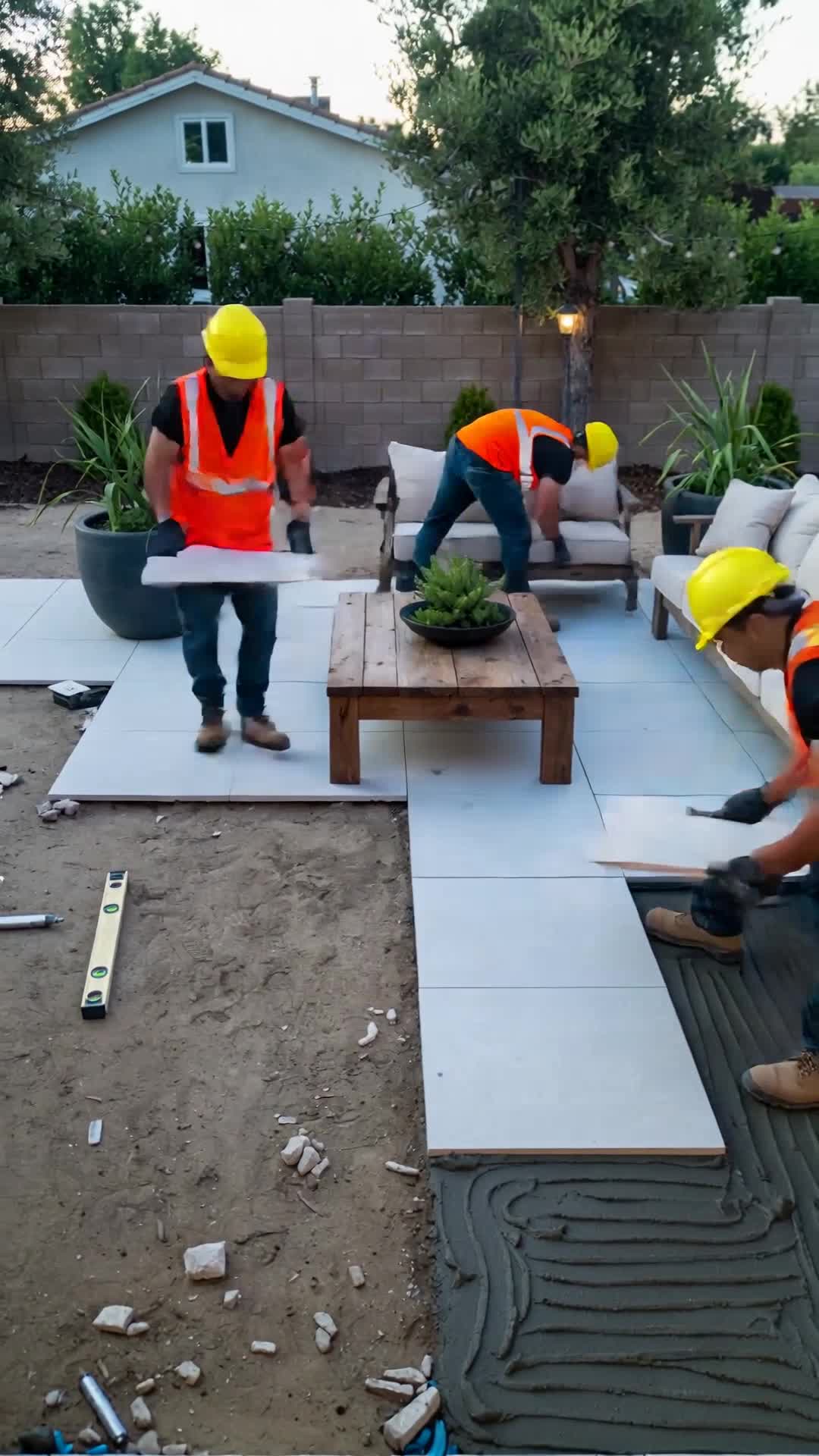
Create a realistic 30-second vertical 9:16 video showing two construction workers installing large white patio tiles in a modern backyard. Show the entire construction process in a smooth timelapse. Gradually transform the unfinished backyard into a luxurious outdoor living space with an L-shaped...
 Video
Video
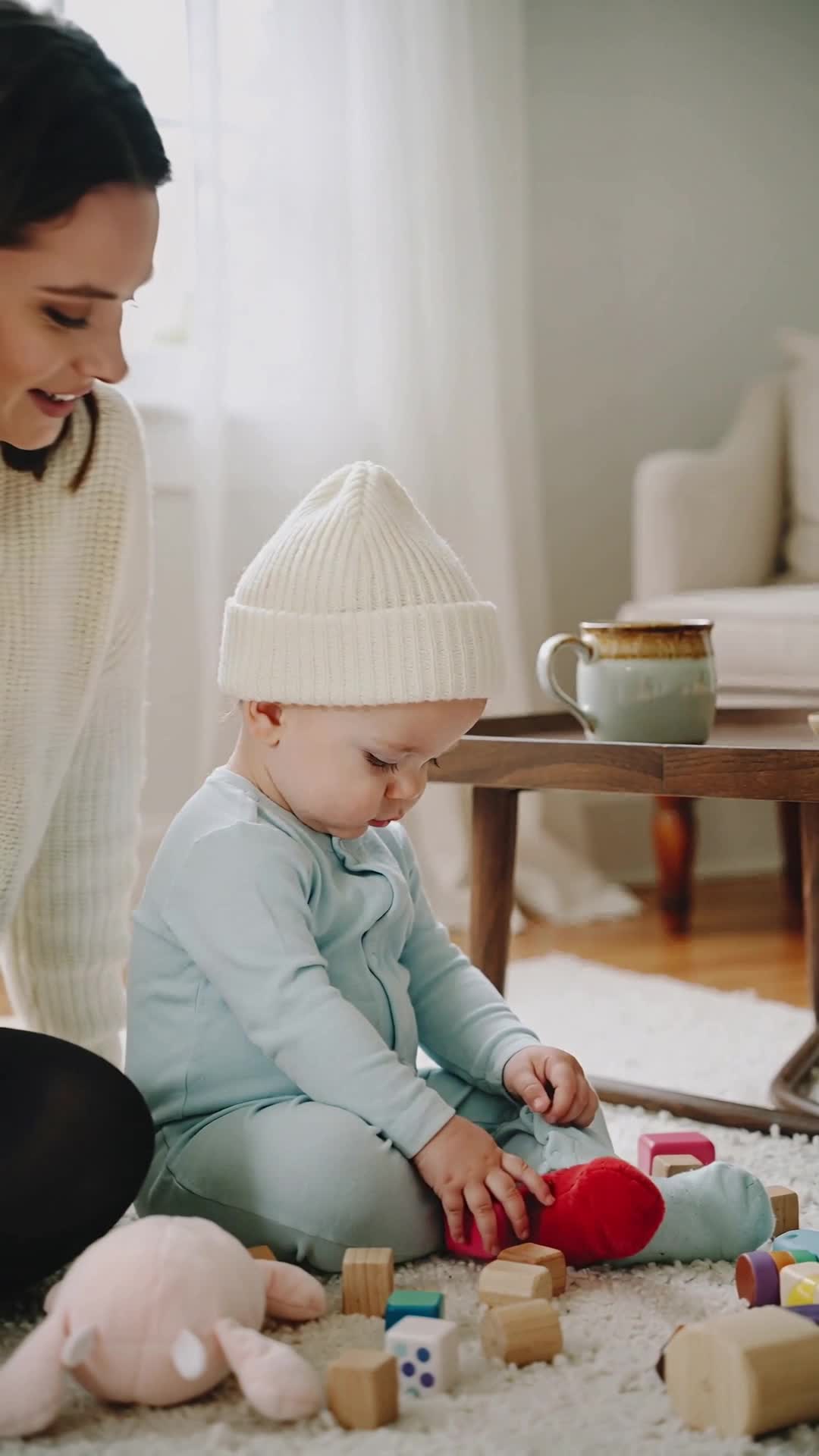
Create a warm, emotional 8–10 second cinematic video showing the difference between a young child playing alone and playing with their mother. Scene 1: A toddler sits on the floor playing with toys independently. The child is calm and focused, exploring and learning through independent play. The...
![«same character as reference, [сцена]». Кадры для песни Colores (вертикальные 9:16): Оба машут, п...](https://content.doitong.com/images/video_animations/6abee0d48eaa6d0d3a61cd87/thumbnail.jpg) Video
Video
«same character as reference, [сцена]». Кадры для песни Colores (вертикальные 9:16): Оба машут, приветствие Pipo держит красное яблоко Luna под голубым небом с голубым шариком Жёлтое солнце и цыплёнок рядом с героями Зелёная лягушка на листе, герои смотрят на неё Фиолетовый виноград Оба танцуют...
Controls are generated from the model schema. The code and the price update as you change them.
/run/kling-video/v1.6/standard/effects?wait=20
quote → $0.28
# Run the model; wait up to 20 s for the finished result in the same call
curl -X POST "https://api.doitong.com/v1/run/kling-video/v1.6/standard/effects?wait=20" \
  -H "Authorization: Bearer $DOITONG_API_KEY" \
  -H "Content-Type: application/json" \
  -d '{
    "effect_scene": "heart_gesture"
  }'

# Still "queued" or "running"? Poll with the id from the response:
curl "https://api.doitong.com/v1/requests/REQUEST_ID?wait=20" \
  -H "Authorization: Bearer $DOITONG_API_KEY"
const API = "https://api.doitong.com/v1";
const headers = {
"Authorization": "Bearer " + process.env.DOITONG_API_KEY,
"Content-Type": "application/json",
};
// Run the model; wait up to 20 s for the finished result in the same call
let res = await fetch(API + "/run/kling-video/v1.6/standard/effects?wait=20", {
method: "POST",
headers,
body: JSON.stringify({
"effect_scene": "heart_gesture"
}),
});
let request = await res.json();
if (!res.ok) throw new Error(request.error.code + ": " + request.error.message);
// Not finished yet: long-poll until it is
while (request.status === "queued" || request.status === "running") {
res = await fetch(API + "/requests/" + request.id + "?wait=20", { headers });
request = await res.json();
}
if (request.status !== "succeeded") throw new Error(JSON.stringify(request.error));
console.log(request.outputs.map((o) => o.url), request.cost.credits + " API credits ($" + request.cost.usd + ")");import os
import requests
API = "https://api.doitong.com/v1"
headers = {"Authorization": "Bearer " + os.environ["DOITONG_API_KEY"]}
payload = {
"effect_scene": "heart_gesture",
}
# Run the model; wait up to 20 s for the finished result in the same call
r = requests.post(API + "/run/kling-video/v1.6/standard/effects", params={"wait": 20}, json=payload, headers=headers)
request = r.json()
if not r.ok:
raise RuntimeError(request["error"]["code"] + ": " + request["error"]["message"])
# Not finished yet: long-poll until it is
while request["status"] in ("queued", "running"):
request = requests.get(API + "/requests/" + request["id"], params={"wait": 20}, headers=headers).json()
if request["status"] != "succeeded":
raise RuntimeError(request["error"])
print([o["url"] for o in request["outputs"]], request["cost"]["credits"], "API credits", "$" + request["cost"]["usd"]){
"jsonrpc": "2.0",
"id": 1,
"method": "tools/call",
"params": {
"name": "run",
"arguments": {
"model_id": "kling-video/v1.6/standard/effects",
"input": {
"effect_scene": "heart_gesture"
},
"wait_seconds": 20
}
}
}Your key stays in this browser: it is sent only to the Doitong API and saved (localStorage) only if you tick Remember. Get an API key
The standard tier of the 1.6 effects set. Choose from 91 `effect_scene` presets and provide `input_image_urls`: two images for heart_gesture, one for all others. Output length is 5 or 10 seconds via `duration`.
enable_safety_checkeroptional
input_image_urlsoptional
effect_scenerequired
durationoptional
File parameters take a public https:// URL, a data: URI up to 10 MB, or the file_url of an upload. Files
{
  "id": "req_8k2m4q7x1z9c3v5b6n0p2r4t",
  "object": "request",
  "model": "kling-video/v1.6/standard/effects",
  "status": "succeeded",
  "created_at": "2026-10-20T12:00:00Z",
  "started_at": "2026-10-20T12:00:02Z",
  "completed_at": "2026-10-20T12:00:09Z",
  "queue_position": null,
  "cost": {
    "credits": 280,
    "usd": "0.28",
    "charged": 280,
    "refunded": 0
  },
  "input": {
    "effect_scene": "heart_gesture"
  },
  "output": {
    "video": {
      "url": "https://content.doitong.com/dev-api/2026/10/20/req_8k2m4q7x1z9c3v5b6n0p2r4t/0-output.mp4",
      "content_type": "video/mp4",
      "file_name": "0-output.mp4",
      "file_size": 1843200
    }
  },
  "outputs": [
    {
      "type": "video",
      "url": "https://content.doitong.com/dev-api/2026/10/20/req_8k2m4q7x1z9c3v5b6n0p2r4t/0-output.mp4",
      "content_type": "video/mp4",
      "file_size": 1843200,
      "width": 1280,
      "height": 720,
      "duration": 5,
      "stored": true
    }
  ],
  "error": null,
  "metrics": {
    "inference_seconds": 6.8
  },
  "urls": {
    "self": "https://api.doitong.com/v1/requests/req_8k2m4q7x1z9c3v5b6n0p2r4t",
    "cancel": "https://api.doitong.com/v1/requests/req_8k2m4q7x1z9c3v5b6n0p2r4t/cancel"
  }
}


For AI agents: this page as Markdown is at https://doitong.com/developers/models/kling-video/v1.6/standard/effects.md. All models and guides: https://doitong.com/developers/llms.txt