Image
Wan · v2.2 5b · Text to Image Variants: 4
$0.016 / image
16 API credits / image
No matches. Try “video”, “FLUX” or “webhooks”.
Loading models…
wan/v2.2-5b/image-to-video
# Run the model; wait up to 20 s for the finished result in the same call
curl -X POST "https://api.doitong.com/v1/run/wan/v2.2-5b/image-to-video?wait=20" \
  -H "Authorization: Bearer $DOITONG_API_KEY" \
  -H "Content-Type: application/json" \
  -d '{
    "image": "https://content.doitong.com/images/showcase/v3/gen_fox_cartoon.jpg",
    "prompt": "A red fox trots through fresh snow at sunrise, soft golden light, shallow depth of field"
  }'

# Still "queued" or "running"? Poll with the id from the response:
curl "https://api.doitong.com/v1/requests/REQUEST_ID?wait=20" \
  -H "Authorization: Bearer $DOITONG_API_KEY"
const API = "https://api.doitong.com/v1";
const headers = {
"Authorization": "Bearer " + process.env.DOITONG_API_KEY,
"Content-Type": "application/json",
};
// Run the model; wait up to 20 s for the finished result in the same call
let res = await fetch(API + "/run/wan/v2.2-5b/image-to-video?wait=20", {
method: "POST",
headers,
body: JSON.stringify({
"image": "https://content.doitong.com/images/showcase/v3/gen_fox_cartoon.jpg",
"prompt": "A red fox trots through fresh snow at sunrise, soft golden light, shallow depth of field"
}),
});
let request = await res.json();
if (!res.ok) throw new Error(request.error.code + ": " + request.error.message);
// Not finished yet: long-poll until it is
while (request.status === "queued" || request.status === "running") {
res = await fetch(API + "/requests/" + request.id + "?wait=20", { headers });
request = await res.json();
}
if (request.status !== "succeeded") throw new Error(JSON.stringify(request.error));
console.log(request.outputs.map((o) => o.url), request.cost.credits + " API credits ($" + request.cost.usd + ")");import os
import requests
API = "https://api.doitong.com/v1"
headers = {"Authorization": "Bearer " + os.environ["DOITONG_API_KEY"]}
payload = {
"image": "https://content.doitong.com/images/showcase/v3/gen_fox_cartoon.jpg",
"prompt": "A red fox trots through fresh snow at sunrise, soft golden light, shallow depth of field",
}
# Run the model; wait up to 20 s for the finished result in the same call
r = requests.post(API + "/run/wan/v2.2-5b/image-to-video", params={"wait": 20}, json=payload, headers=headers)
request = r.json()
if not r.ok:
raise RuntimeError(request["error"]["code"] + ": " + request["error"]["message"])
# Not finished yet: long-poll until it is
while request["status"] in ("queued", "running"):
request = requests.get(API + "/requests/" + request["id"], params={"wait": 20}, headers=headers).json()
if request["status"] != "succeeded":
raise RuntimeError(request["error"])
print([o["url"] for o in request["outputs"]], request["cost"]["credits"], "API credits", "$" + request["cost"]["usd"])# 1. Connect once (Claude Code; Cursor, VS Code, Claude Desktop: https://doitong.com/developers/docs/mcp)
claude mcp add --transport http doitong-models https://api.doitong.com/v1/mcp \
--header "Authorization: Bearer $DOITONG_API_KEY"
# 2. Your agent calls the "run" tool with:
{
"model_id": "wan/v2.2-5b/image-to-video",
"input": {
"image": "https://content.doitong.com/images/showcase/v3/gen_fox_cartoon.jpg",
"prompt": "A red fox trots through fresh snow at sunrise, soft golden light, shallow depth of field"
}
}Call the Wan v2.2 5B · Image to Video model (wan/v2.2-5b/image-to-video) through the Doitong API. Docs for agents: https://doitong.com/developers/models/wan/v2.2-5b/image-to-video.md
POST https://api.doitong.com/v1/run/wan/v2.2-5b/image-to-video?wait=20
Authorization: Bearer $DOITONG_API_KEY
Content-Type: application/json
{
"image": "https://content.doitong.com/images/showcase/v3/gen_fox_cartoon.jpg",
"prompt": "A red fox trots through fresh snow at sunrise, soft golden light, shallow depth of field"
}
If the response status is "queued" or "running", poll GET https://api.doitong.com/v1/requests/REQUEST_ID?wait=20 until it is "succeeded"; the files are in outputs[].url. POST https://api.doitong.com/v1/quote/wan/v2.2-5b/image-to-video with the same body returns the exact price before the run.This request: $0.15 150 API credits Run it on this page
Your new API key. It is shown only now and is already in the code and in the API key field below. Keep it secret: never put it in code that runs in a browser.
Public works made with Wan v22 by the Doitong community. Reuse a prompt in one click.
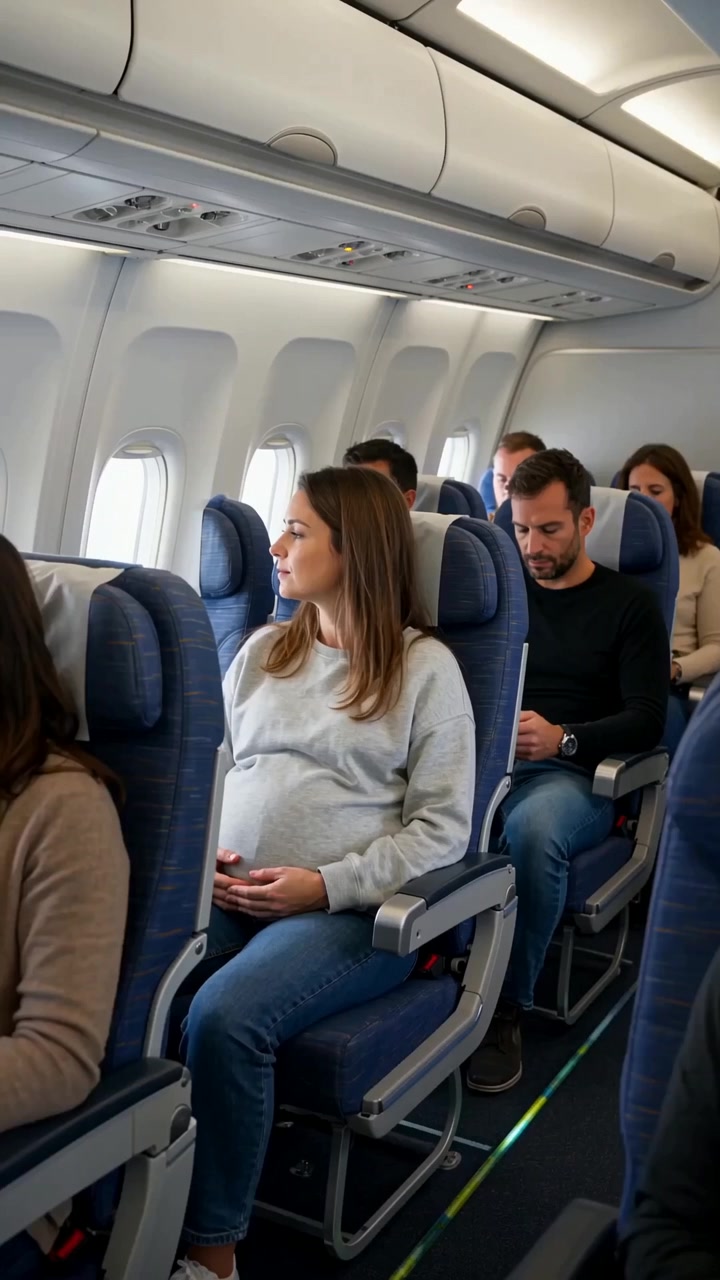 Video
Create a realistic cinematic UGC-style commercial video, exactly 30 seconds long. The entire scene takes place inside a modern passenger airplane during a daytime flight. Natural smartphone-like cinematography, realistic airplane cabin, authentic passengers, natural lighting, realistic skin...
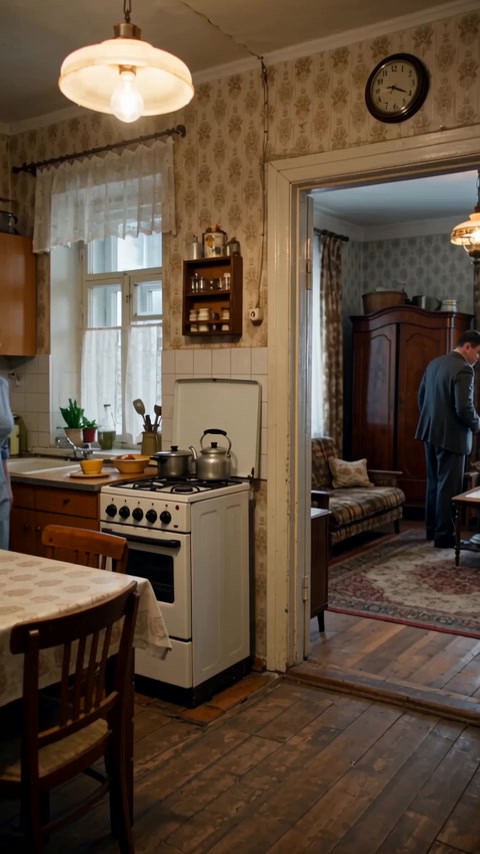 Video
Реалистичная бытовая сцена в советской одесской квартире зимним вечером. Женщина находится на кухне, мужчина — в комнате и прихожей. Атмосфера обычной советской семьи перед приходом гостей. Голоса: все персонажи говорят по-русски с естественным, выразительным одесским говором. Характерная...
Controls are generated from the model schema. The code and the price update as you change them.
/run/wan/v2.2-5b/image-to-video?wait=20
quote → $0.15
# Run the model; wait up to 20 s for the finished result in the same call
curl -X POST "https://api.doitong.com/v1/run/wan/v2.2-5b/image-to-video?wait=20" \
  -H "Authorization: Bearer $DOITONG_API_KEY" \
  -H "Content-Type: application/json" \
  -d '{
    "image": "https://content.doitong.com/images/showcase/v3/gen_fox_cartoon.jpg",
    "prompt": "A red fox trots through fresh snow at sunrise, soft golden light, shallow depth of field"
  }'

# Still "queued" or "running"? Poll with the id from the response:
curl "https://api.doitong.com/v1/requests/REQUEST_ID?wait=20" \
  -H "Authorization: Bearer $DOITONG_API_KEY"
const API = "https://api.doitong.com/v1";
const headers = {
"Authorization": "Bearer " + process.env.DOITONG_API_KEY,
"Content-Type": "application/json",
};
// Run the model; wait up to 20 s for the finished result in the same call
let res = await fetch(API + "/run/wan/v2.2-5b/image-to-video?wait=20", {
method: "POST",
headers,
body: JSON.stringify({
"image": "https://content.doitong.com/images/showcase/v3/gen_fox_cartoon.jpg",
"prompt": "A red fox trots through fresh snow at sunrise, soft golden light, shallow depth of field"
}),
});
let request = await res.json();
if (!res.ok) throw new Error(request.error.code + ": " + request.error.message);
// Not finished yet: long-poll until it is
while (request.status === "queued" || request.status === "running") {
res = await fetch(API + "/requests/" + request.id + "?wait=20", { headers });
request = await res.json();
}
if (request.status !== "succeeded") throw new Error(JSON.stringify(request.error));
console.log(request.outputs.map((o) => o.url), request.cost.credits + " API credits ($" + request.cost.usd + ")");import os
import requests
API = "https://api.doitong.com/v1"
headers = {"Authorization": "Bearer " + os.environ["DOITONG_API_KEY"]}
payload = {
"image": "https://content.doitong.com/images/showcase/v3/gen_fox_cartoon.jpg",
"prompt": "A red fox trots through fresh snow at sunrise, soft golden light, shallow depth of field",
}
# Run the model; wait up to 20 s for the finished result in the same call
r = requests.post(API + "/run/wan/v2.2-5b/image-to-video", params={"wait": 20}, json=payload, headers=headers)
request = r.json()
if not r.ok:
raise RuntimeError(request["error"]["code"] + ": " + request["error"]["message"])
# Not finished yet: long-poll until it is
while request["status"] in ("queued", "running"):
request = requests.get(API + "/requests/" + request["id"], params={"wait": 20}, headers=headers).json()
if request["status"] != "succeeded":
raise RuntimeError(request["error"])
print([o["url"] for o in request["outputs"]], request["cost"]["credits"], "API credits", "$" + request["cost"]["usd"]){
"jsonrpc": "2.0",
"id": 1,
"method": "tools/call",
"params": {
"name": "run",
"arguments": {
"model_id": "wan/v2.2-5b/image-to-video",
"input": {
"image": "https://content.doitong.com/images/showcase/v3/gen_fox_cartoon.jpg",
"prompt": "A red fox trots through fresh snow at sunrise, soft golden light, shallow depth of field"
},
"wait_seconds": 20
}
}
}Your key stays in this browser: it is sent only to the Doitong API and saved (localStorage) only if you tick Remember. Get an API key
Animates an image (`image_url`) from a text `prompt`. `num_frames` ranges from 17 to 161 and `frames_per_second` from 4 to 60, at 580p or 720p. Aspect ratio can be auto, 16:9, 9:16 or 1:1. Frame interpolation uses film or rife, adding 0 to 4 frames between each pair, and `video_quality` and `video_write_mode` control encoding.
Send either the canonical name or the native name, not both. Canonical names
image_urlrequired
image
promptrequired
num_framesoptional
frames_per_secondoptional
negative_promptoptional
seedoptional
resolutionoptional
aspect_ratiooptional
num_inference_stepsoptional
enable_safety_checkeroptional
enable_output_safety_checkeroptional
enable_prompt_expansionoptional
guidance_scaleoptional
shiftoptional
interpolator_modeloptional
num_interpolated_framesoptional
adjust_fps_for_interpolationoptional
video_qualityoptional
video_write_modeoptional
File parameters take a public https:// URL, a data: URI up to 10 MB, or the file_url of an upload. Files
{
  "id": "req_8k2m4q7x1z9c3v5b6n0p2r4t",
  "object": "request",
  "model": "wan/v2.2-5b/image-to-video",
  "status": "succeeded",
  "created_at": "2026-10-20T12:00:00Z",
  "started_at": "2026-10-20T12:00:02Z",
  "completed_at": "2026-10-20T12:00:09Z",
  "queue_position": null,
  "cost": {
    "credits": 150,
    "usd": "0.15",
    "charged": 150,
    "refunded": 0
  },
  "input": {
    "prompt": "A red fox trots through fresh snow at sunrise, soft golden light, shallow depth of field",
    "image_url": "https://content.doitong.com/images/showcase/v3/gen_fox_cartoon.jpg"
  },
  "output": {
    "video": {
      "url": "https://content.doitong.com/dev-api/2026/10/20/req_8k2m4q7x1z9c3v5b6n0p2r4t/0-output.mp4",
      "content_type": "video/mp4",
      "file_name": "0-output.mp4",
      "file_size": 1843200
    },
    "prompt": "The white dragon warrior stands still, eyes full of determination and strength. The camera slowly moves closer or circles around the warrior, highlighting the powerful presence and heroic spirit of the character.",
    "seed": 42
  },
  "outputs": [
    {
      "type": "video",
      "url": "https://content.doitong.com/dev-api/2026/10/20/req_8k2m4q7x1z9c3v5b6n0p2r4t/0-output.mp4",
      "content_type": "video/mp4",
      "file_size": 1843200,
      "width": 1280,
      "height": 720,
      "duration": 5,
      "stored": true
    }
  ],
  "error": null,
  "metrics": {
    "inference_seconds": 6.8
  },
  "urls": {
    "self": "https://api.doitong.com/v1/requests/req_8k2m4q7x1z9c3v5b6n0p2r4t",
    "cancel": "https://api.doitong.com/v1/requests/req_8k2m4q7x1z9c3v5b6n0p2r4t/cancel"
  }
}


For AI agents: this page as Markdown is at https://doitong.com/developers/models/wan/v2.2-5b/image-to-video.md. All models and guides: https://doitong.com/developers/llms.txt