Image - 2026-02-27 03:21
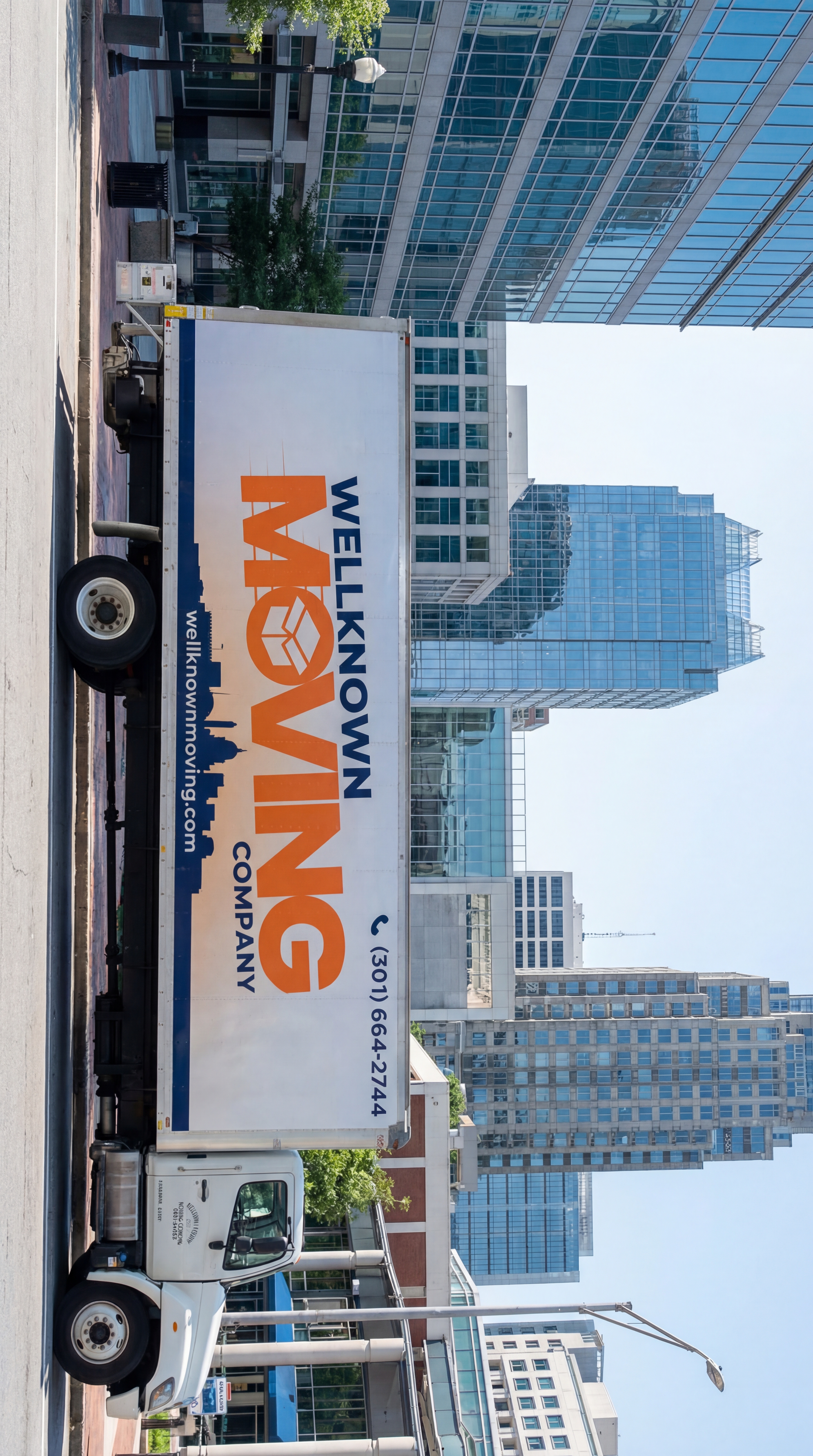
Ultra-realistic commercial photography. Use the attached reference image of the 26ft moving truck. The truck must remain identical to the reference image — exact branding, logo placement, typography, colors, proportions and all details. Do not redesign, simplify, or alter any graphics. This image represents the exact first frame (0.0 second) of a commercial video. Scene: recognizable Downtown Raleigh, North Carolina location — Fayetteville Street area with visible Raleigh skyline elements or modern glass office buildings typical of downtown Raleigh. Realistic American urban environment. Camera angle: side view of the truck from street level, slightly elevated (about 8–10 feet high), perfectly parallel to the truck. The truck is positioned slightly left of center frame, facing right, leaving open space in front of it (for forward movement in the upcoming video). The entire side of the truck must be clearly visible and readable. Logos and branding sharp and clear. Bright natural North Carolina daylight. Sharp focus. Hyper-detailed. 4K realism. No motion blur. This is a frozen first frame. Natural colors. No dramatic color grading. Looks like a real commercial drone or cinema camera photograph taken in Raleigh. Professional, trustworthy local business atmosphere.To create this video, you will need to use an advanced **Image-to-Video AI generator** (such as Runway Gen-3 Alpha, Luma Dream Machine, or Kling AI) because standard text-to-video AI will struggle to recreate the exact text and logo without a reference image. Since I am a text-based AI, I cannot render the video file directly for you. However, I have engineered the exact, highly-optimized prompt you need to copy and paste into the video generator along with your uploaded image to get the exact result you are looking for. Here is the exact setup you need to use: ### Step 1: Upload your Image Upload the first image you provided (the clearest side-profile of the truck) into the AI video generator as your "Start Frame" or "Reference Image." ### Step 2: Copy & Paste this Master Prompt **Prompt:** > **[STRICT IMAGE MATCH]** A pristine white 26ft moving box truck driving straight forward down a modern city avenue. The branding on the side of the box must remain perfectly stable, sharp, and identical to the reference image: "WELLKNOWN" (dark blue), "MOVING" (large orange text with a box icon in the 'O'), "COMPANY" (dark blue), a dark blue city skyline silhouette at the bottom, "wellknownmoving.com", and "(301) 664-2744" at the top right. **[CAMERA]** Smooth aerial drone tracking shot. The camera is positioned slightly above and behind the truck's rear left corner, following it at the exact same speed. Perfectly stable professional gimbal motion. No camera shaking, no zoom changes. Single continuous shot, no cuts. **[ENVIRONMENT]** Downtown Raleigh, North Carolina. Modern American city environment, towering glass skyscrapers flanking the street, clean asphalt, realistic ambient city traffic in adjacent lanes. **[LIGHTING & STYLE]** Ultra-realistic commercial advertisement style. Bright natural midday sunlight, crisp shadows. Photorealistic, dynamic reflections of the glass buildings moving across the truck's glossy white surface. 8k resolution, pure realism, no dramatic filters, no cinematic color grading, strictly natural daytime look. ### Step 3: Use this Negative Prompt (If the tool allows it) **Negative Prompt:** > Text morphing, text changing, logo distortion, cuts, editing, camera shake, zooming, panning, dramatic lighting, text overlays, cinematic filters, cartoon, 3d render, low resolution, warped proportions, changing truck shape. ### Tips for the Best Result: * **Motion Settings:** If the AI tool has a "Motion Brush" or "Camera Motion" setting (like in Runway), set the camera to move strictly **Forward** (Z-axis) to match the truck's speed, and keep pan/tilt at 0. * **Duration:** Set the generation time to exactly 4 or 5 seconds. * **Text Adherence:** AI video currently struggles slightly with keeping text perfectly frozen in motion. Using **Runway Gen-3** or **Luma Dream Machine** currently yields the best results for locking in text from a reference image without it morphing as the truck moves.
Free to start · Generate videos and images with AI in seconds
More by Lavender Earth
См. все →
More Nano Banana Pro images
См. все →